Best Invoice Downloader Apps for Windows & Mac (2026)
Compare the best invoice downloader apps for Windows and Mac in 2026. Find the right tool for supplier portals, email, folders, and bookkeeping.

By Tailride · 8 min read · Updated October 2026
Manually signing in to supplier portals and downloading invoices one by one quickly becomes a recurring monthly chore. An invoice downloader automates that work by retrieving supplier invoices from online portals, email inboxes and other document sources.
For businesses that want invoice collection to run on a Windows PC or Mac, Tailride is our best overall pick. It combines a desktop app, scheduled portal collection, a browser extension, email integrations and watched folders. GetMyInvoices offers a much larger portal catalogue, while invoicefetcher is better suited to companies that want collection to run entirely in the cloud.
This guide covers tools that retrieve and process supplier invoices and receipts. If you are looking for software that creates and sends sales invoices, you need a different category of product.
Download Tailride for Windows or Mac and connect your first supplier.
The best invoice downloader apps at a glance
Only Tailride and GetMyInvoices in this comparison provide dedicated invoice collection desktop apps for both Windows and macOS. invoicefetcher, Dext, Hubdoc and AutoEntry are primarily web-based services that can be accessed from either operating system.
| App | Operating model | Main strength | Best for |
|---|---|---|---|
| Tailride | Windows and Mac desktop app; Chrome and Edge extension | Local scheduled portal collection, Proton Mail and watched folders | Businesses that want portal access to remain on their computer |
| GetMyInvoices | Windows and macOS desktop app with a web platform | Catalogue of more than 10,000 online portals | Businesses that prioritise connector breadth |
| invoicefetcher | Cloud web service | Portal retrieval without a local computer | Always-on cloud collection |
| Dext | Cloud web platform and mobile apps | Portal Fetch, extraction and bookkeeping automation | Collection followed by accounting processing |
| Hubdoc | Cloud web platform and mobile apps | Document capture, extraction and accounting integrations | Xero and QuickBooks Online workflows |
| AutoEntry | Cloud web platform and mobile apps | Extraction from uploaded and emailed documents | Email and upload-based bookkeeping workflows |
This comparison was prepared by Tailride using official product documentation available in October 2026. We considered portal retrieval, scheduling, authentication, supported document sources, operating systems and accounting handoff.
Because these products cover different parts of the invoice workflow, we have avoided numerical scores. Features can also depend on the selected plan, supplier, region and accounting integration.
What should an invoice downloader actually do?
A useful invoice downloader should do more than save a PDF from a webpage. It needs to remember which documents have already been collected, run on a schedule and alert you when a supplier connection requires attention.
Authentication matters as well. Supplier portals regularly expire sessions, change their login screens or request two-factor authentication. A reliable tool should make it easy to renew access without reconnecting every supplier from scratch.
Businesses may also receive invoices through several channels. Some documents remain inside portals such as Amazon, Adobe or telecom provider accounts. Others arrive by email or as files saved to a shared folder. The right setup should bring these documents into one consistent workflow before they move into bookkeeping.
Where collection runs is another important consideration. A desktop app can keep portal credentials and browser sessions on the user’s computer. A cloud fetcher can continue checking supported portals without depending on an office computer.
Our guide to desktop apps, browser extensions and cloud fetchers explains these operating models in more detail.
1. Tailride - best overall invoice downloader for Windows and Mac
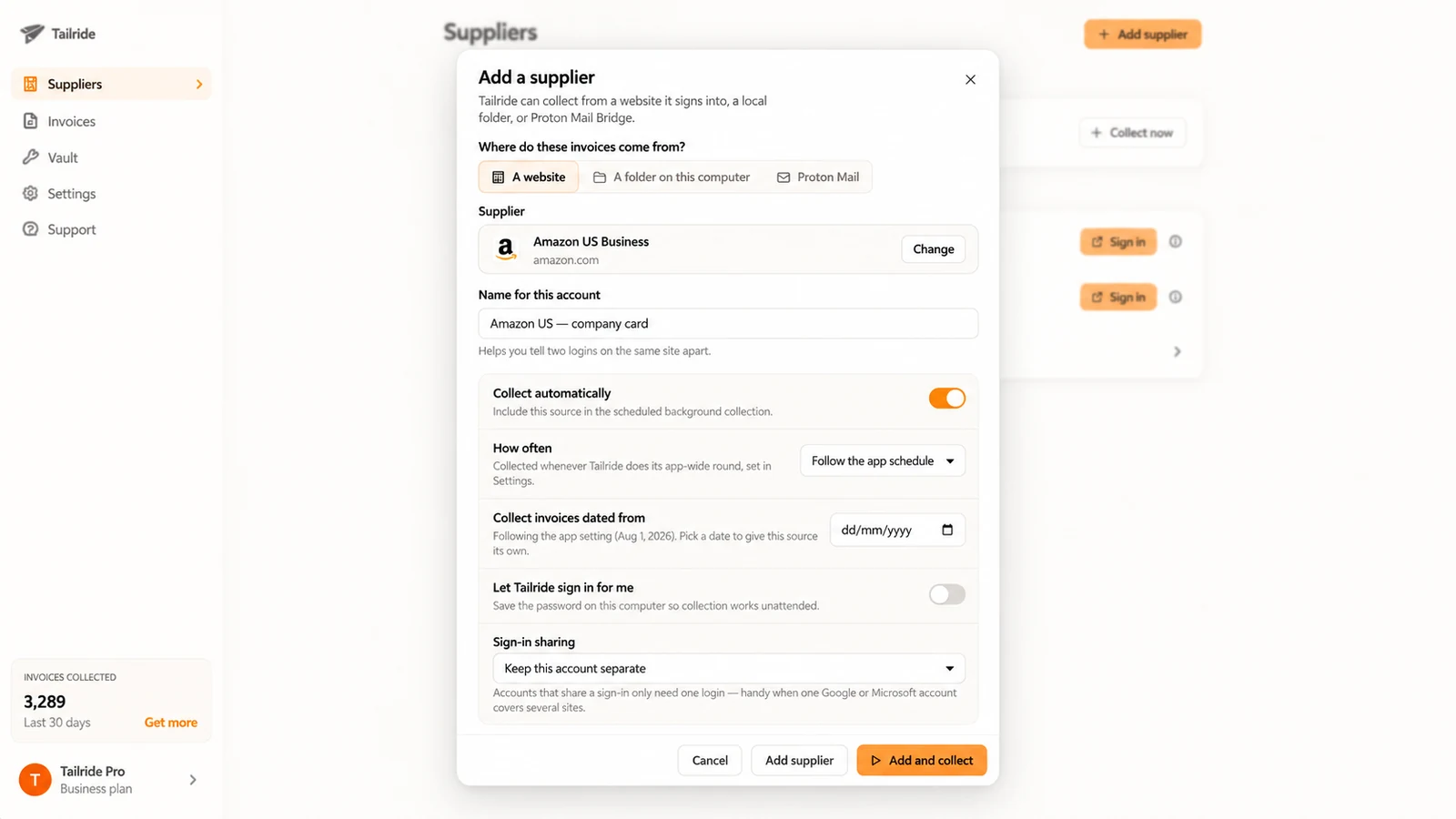
Tailride Desktop App collects invoices from supplier portals on a Windows PC or Mac. It works in the background from the Windows system tray or macOS menu bar, and the user’s regular browser can remain closed.
Saved portal passwords are encrypted with the operating system’s protected storage: macOS Keychain on a Mac and Windows DPAPI on a PC. Each connected supplier account also uses a separate local browser profile.
Collected invoice documents are uploaded to Tailride for processing and appear in the Tailride dashboard. Local copies can be saved on the computer as well and are enabled by default.
The app works with more than 100 supplier portals and can collect every hour, day, week, month or quarter. Each portal connection can have its own label and isolated session, which is useful when a business has several Amazon accounts or separate personal and company logins for the same supplier.
Tailride also covers sources outside conventional supplier portals. The Tailride browser extension collects invoices from supported websites through an existing Chrome or Edge session. It can run scheduled collections while the browser is open.
Email integrations collect invoices delivered through Gmail and Microsoft 365. For encrypted mailboxes, the dedicated Proton Mail invoice collector works locally through Proton Mail Bridge.
Files can also enter Tailride through watched folder collection. The desktop app monitors a selected folder and automatically picks up new PDFs and supported image files.
If the computer is in sleep mode at the scheduled time, Tailride cannot perform the collection immediately. The missed run is caught up after the computer wakes. The app must be running in the background, but its main window does not need to remain open.
Want invoice collection to run on your own computer?
Download Tailride for Windows or Mac and connect your first supplier.
Where Tailride works best
Tailride is particularly useful when invoices are spread across several places. One business might receive Amazon invoices from a portal, software receipts by email and scanned documents through a shared folder. Tailride lets those sources feed the same invoice workflow.
It is also a good fit when you prefer saved portal credentials to remain on your own computer. Saving a password is optional, and supported authenticator app codes can be generated locally from a TOTP setup key. SMS codes, CAPTCHAs and some other verification methods may still require manual action.
You can see how the collection process works for a specific supplier on the Tailride Amazon integration page.
2. GetMyInvoices - best for the widest portal catalogue
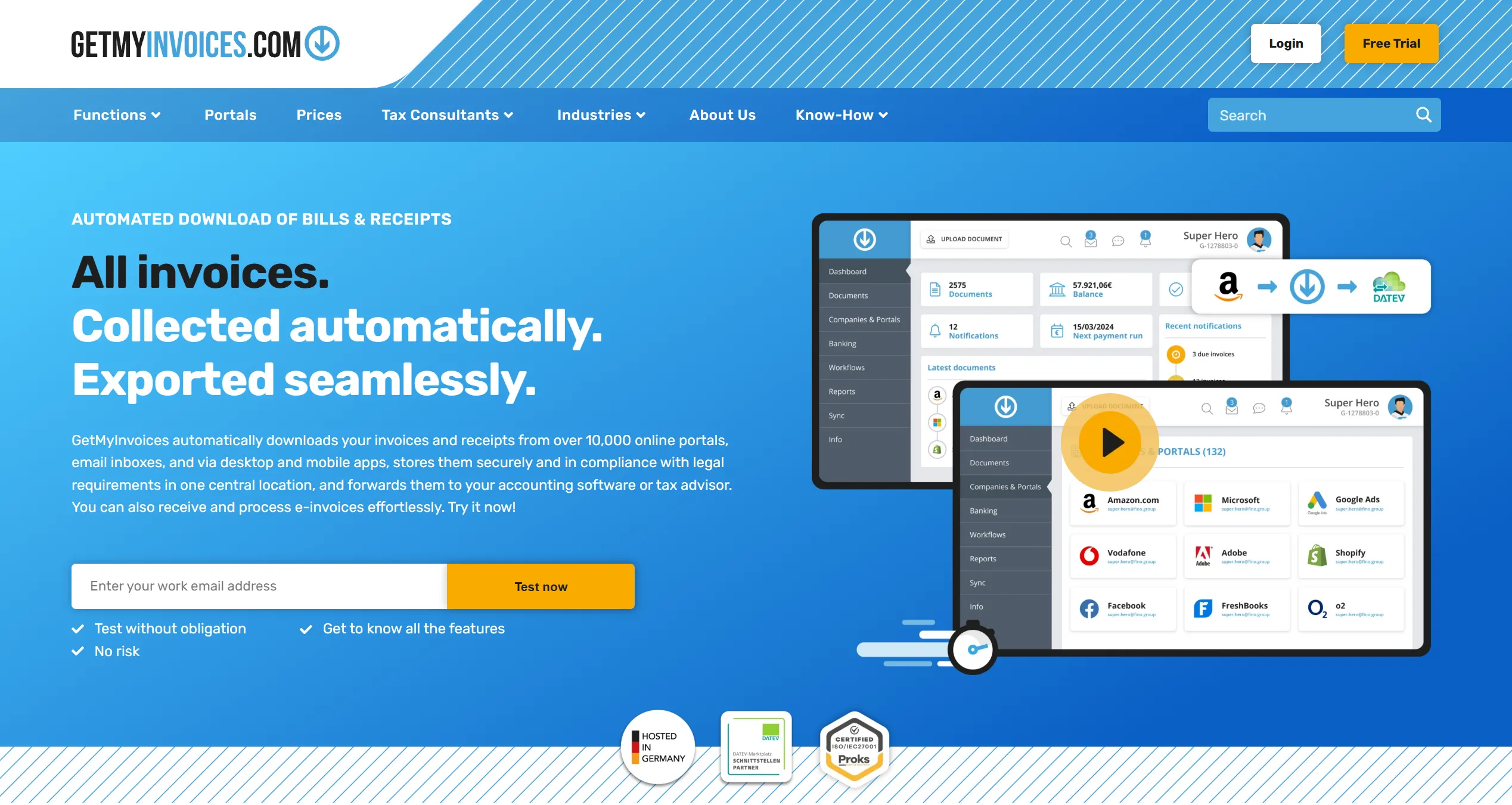
GetMyInvoices is an established invoice management platform that advertises support for more than 10,000 online portals. It can also receive documents from email inboxes and other sources before forwarding them to accounting software or a tax adviser.
The GetMyInvoices Desktop App is available for Windows and macOS. It uses a local integrated browser to connect supplier portals, displays the status of each connection and notifies the user when a session, confirmation or 2FA step requires attention.
Users can decide whether their portal login details should be saved. The desktop app also supports password managers and passkeys, which may be useful for businesses that already manage access through a dedicated password management system.
GetMyInvoices is a strong choice when connector breadth is the main requirement. It combines portal retrieval with central document storage, mobile capture and accounting exports. That broader platform may be useful to teams that want more than portal collection, although businesses should compare the available plans and workflows against the number of connections they actually need.
Tailride may be a more focused option for businesses that specifically want collection to run on their own Windows PC or Mac across supplier portals, Proton Mail and local folders.
3. invoicefetcher - best for cloud-based portal retrieval
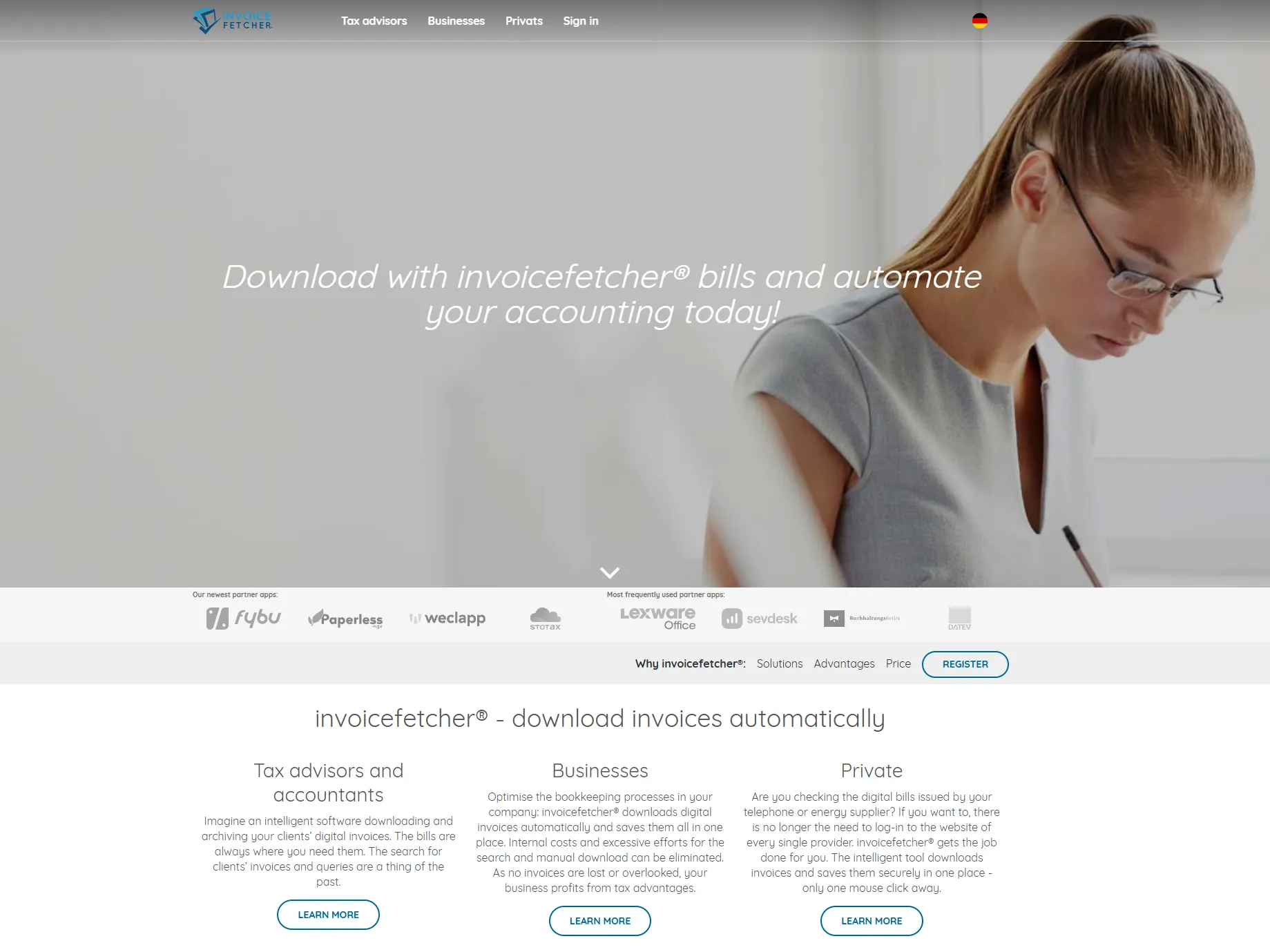
invoicefetcher is a cloud service that collects invoices from supported customer portals and stores them in a central online account.
Its current catalogue lists integrations with more than 500 platforms. The number of portal connections included in an account depends on the selected plan, and additional connections may be available separately.
Because invoicefetcher runs in the cloud, scheduled retrieval does not depend on an employee’s Windows PC or Mac remaining on. This makes it suitable for distributed teams and businesses that do not want a local application to be responsible for regular collection.
The service also offers invoicefetcher.email for documents received by email. Messages can be forwarded to an individual invoicefetcher address, and emails without PDF attachments can be converted into PDFs.
The tradeoff is the operating model. Portal credentials and collection sessions are handled through the service’s cloud infrastructure rather than remaining on one computer. Whether that is an advantage depends on the company’s security policy and who needs to manage the connections.
Choose invoicefetcher when uninterrupted cloud collection matters more than keeping portal access on a specific computer.
4. Dext - best for collection and document processing
Dext covers more of the bookkeeping workflow than a basic invoice downloader. Documents can be submitted through uploads, email, WhatsApp and a mobile app.
Dext Fetch can also retrieve invoices from supported supplier portals. After the initial collection, Dext checks connected portals every seven days. Users can trigger an additional manual fetch, although it may take time to complete.
Fetch is limited to suppliers included in Dext’s supported list. If a portal is not supported, invoices can still be submitted through one of the other capture methods.
After a document arrives, Dext extracts fields such as the supplier, invoice date, total, tax and invoice number. The information can then be reviewed, categorised and published to connected accounting software.
Dext is therefore a good match when the business needs capture, extraction and accounting handoff in one platform. Companies whose main requirement is local portal collection through a Windows or Mac desktop app may prefer a more specialised tool.
5. Hubdoc - best for Xero and QuickBooks document workflows
Hubdoc is a cloud document capture and data extraction product. Users can upload files from a computer, forward invoices by email or capture paperwork with a mobile device.
Hubdoc extracts information such as supplier names, amounts, invoice numbers and due dates. Documents and their data can then be published to Xero or QuickBooks Online with the original source file attached.
Supplier Rules can automate how recurring documents are coded and published. Hubdoc also stores financial documents online and makes them available to accountants and other collaborators.
This makes Hubdoc useful for businesses and bookkeeping firms already centred on Xero or QuickBooks Online. Its strongest value is organising documents, extracting their data and moving them into the accounting workflow.
For businesses specifically looking for a Windows or Mac desktop app that signs in to supplier portals locally, Tailride or the GetMyInvoices Desktop App is a more direct match.
6. AutoEntry - best for email and upload-based workflows
AutoEntry focuses on extracting bookkeeping data from invoices, receipts, expenses and supplier statements. Documents can be photographed with its mobile app, uploaded from a computer or sent to dedicated email addresses.
A company receives separate intake addresses for purchases, supplier statements, sales and expense reports. These addresses can be shared with suppliers or external users, allowing documents to enter AutoEntry without giving those users access to the platform.
After processing, the extracted data can be categorised and published to supported accounting systems, including Xero, Sage and QuickBooks.
The official AutoEntry materials reviewed for this comparison describe mobile capture, desktop upload and dedicated email intake, but do not describe automatic sign-in to supplier portals. That makes AutoEntry a closer fit for processing documents that have already been received.
If email is your main invoice source, our guide to extracting invoices from email automatically covers the available approaches in more detail.
Which invoice downloader should you choose?
Choose Tailride if you want scheduled invoice collection on Windows or Mac, prefer saved portal credentials to remain on your computer, or need to combine supplier portals with email, Proton Mail and watched folders.
Choose GetMyInvoices if the largest possible catalogue of portal connections is your main priority and you want a broader invoice management platform around those connections.
Choose invoicefetcher if collection must continue without relying on an employee’s computer and you are comfortable using a cloud service for portal retrieval.
Choose Dext when data extraction, categorisation and publishing to accounting software are as important as retrieving the original invoice.
Choose Hubdoc for a document workflow centred on Xero or QuickBooks Online, particularly when many documents arrive by email, upload or mobile capture.
Choose AutoEntry when invoices and statements are submitted as files and the main goal is extracting their data for bookkeeping.
For another view of the market, see our side-by-side comparison of invoice collection tools.
Windows vs Mac: what changes?
The practical workflow is similar on both operating systems. You install the desktop app, connect each supplier and choose when collection should run. The app then works in the background and alerts you when a portal requires a renewed login or another action.
Tailride stores saved passwords in macOS Keychain on a Mac and Windows DPAPI on a PC. The rest of the collection workflow is largely the same.
On either system, local collection depends on the computer being available. Closing the main application window does not have to stop background collection, but shutting the computer down does. If the device is in sleep mode, a missed Tailride collection is performed after it wakes.
Mac users can follow our complete guide to automatically downloading invoices on a Mac. Windows users can learn more on the Tailride for Windows page.
Cloud retrieval services such as invoicefetcher and Dext Fetch can check supported portals without relying on a specific office computer. Other cloud bookkeeping products may focus on email, uploads or mobile capture instead, so being cloud-based does not automatically mean that a product can sign in to supplier portals.
Frequently asked questions
What is the best invoice downloader app?
Tailride is our best overall choice for businesses that want a Windows or Mac desktop app, scheduled supplier portal collection and support for additional sources such as email, Proton Mail and watched folders.
GetMyInvoices is a strong alternative when connector breadth is the priority. invoicefetcher is better suited to businesses that want invoice collection to run completely in the cloud.
Is there an invoice downloader for both Windows and Mac?
Yes. Tailride offers a desktop app for Windows and Mac. GetMyInvoices also provides a desktop app for Windows and macOS.
invoicefetcher, Dext, Hubdoc and AutoEntry are primarily web-based platforms. They can be accessed from either operating system but do not provide the same local supplier portal collection model.
Can an app download invoices automatically from supplier portals?
Yes. A portal invoice downloader can sign in to supported supplier portals, check for new documents and retrieve invoices on a schedule.
The user must first authorise each connection. Some portals occasionally require a renewed login, confirmation step, CAPTCHA or two-factor authentication.
Can invoices be collected while the computer is off?
A cloud retrieval service can continue running while your computer is off. A locally installed desktop app needs the computer to be on when it performs a collection.
With Tailride, a collection missed while the computer is in sleep mode runs after the computer wakes.
Can the Tailride browser extension collect invoices on a schedule?
Yes. The Tailride extension supports scheduled collection from supported portals while Chrome or Edge is open.
For collection with the regular browser closed, use the Tailride Desktop App on Windows or Mac.
Are supplier portal passwords stored securely?
The answer depends on the product and connection method.
Tailride encrypts saved portal passwords with macOS Keychain or Windows DPAPI. Saving them is optional. GetMyInvoices also allows desktop app users to connect without saving a password.
Cloud retrieval services manage portal connections through their own infrastructure. Check each provider’s current security documentation and decide whether local or cloud-based access is more appropriate for your company.
Can one invoice downloader handle multiple accounts for the same supplier?
Yes, provided the product supports separate connections for the same portal.
Tailride lets you create isolated profiles and optional labels for different accounts. For example, you can keep an Amazon Business account separate from a personal Amazon account or accounts belonging to different legal entities.
Is an invoice downloader the same as OCR software?
No. An invoice downloader retrieves the original invoice from a portal, inbox or folder. OCR and extraction software reads the document and turns fields such as the supplier, date, tax and total into structured data.
Some products do both. Others focus primarily on either collection or processing. When comparing apps, check that the product solves the part of the workflow that is causing the manual work.
Start downloading invoices automatically
The right invoice downloader depends on where your documents live and where you want collection to run.
If you want supplier portals, email, Proton Mail and folders to feed one workflow while saved portal credentials remain on your Windows PC or Mac, download the Tailride Desktop App.
You can also use the Tailride browser extension for scheduled collection from supported websites while Chrome or Edge is open.
Once the documents are collected, Tailride can help you forward invoices to your accountant automatically.
