
How to Get Invoices and Bills into Sage Accounting (2026)
AI Capture, AutoEntry and imports compared on limits and real cost. Plus how Tailride collects, codes and posts every invoice into Sage Accounting.

Last updated: August 2026 · ~11 min read · Published by Tailride
Sage has two answers to this problem and sells you both separately. One is AI Capture, built into your subscription, metered monthly, and it reads the header of a document. The other is AutoEntry, which Sage bought in 2019, which does read line items, and which bills you on its own credit ladder where a line-item document costs double.
Neither fact is hidden - both sit in Sage's own documentation. But nobody puts them next to each other, so most businesses pick a route by accident and find the ceiling three months later.
This guide covers every way into Sage Accounting, what each one actually extracts, the published limits, and what a hundred supplier invoices a month costs on each.
Sage's built-in tools read what you hand them, and they read the header. Tailride does the other two thirds of the job - it finds the invoices for you in Gmail, Outlook and supplier portals, rebuilds the history you never captured, reads every line, codes each one to your own Sage chart of accounts, and posts a finished purchase invoice with the original PDF attached. Line items on every plan, priced per document rather than per seat. The first 10 invoices a month are free, then from $19. See the Sage integration →
Short answer
Use AI Capture if you process modest volumes and only need supplier, description and amount. It is included, it is quick, and it stops at header data.
Use AutoEntry if you need line items and you are already inside a Sage bundle that includes credits. Buy it standalone and the credit maths gets expensive fast, because line-item extraction costs two credits per document rather than one.
Use a capture tool in front of Sage, such as Tailride, if the problem is collecting the documents rather than reading them - invoices sitting in supplier portals, in an inbox nobody forwards from, or in a back catalogue you inherited. Tailride connects to Gmail or Outlook directly, reads every line, codes it to your chart of accounts and posts a finished purchase invoice into Sage with the PDF attached, from $19 a month.
One thing to settle before any of it: whether you are on the product this guide is about.
Check which Sage you are on first
This trips people up more than anything else here, because several different products carry the name.
Sage Accounting is the cloud product you sign in to at accounting.sage.com, sold under the Sage Business Cloud umbrella and formerly called Sage One. Everything below applies to it.
Sage 50 is a desktop application with cloud connectivity. Different architecture, different feature set, different add-ons. AI Capture as described here is not what you have.
Then there is the tier. AI Capture is available on Sage Accounting Standard and Plus only (Sage KB: Purchase automation). On Start you do not get it, and you also need access to Purchases for it to appear at all.
Worth checking both before you plan a workflow around a feature you cannot see.
Route 1: AI Capture, included in Standard and Plus
AI Capture turns an uploaded document into a draft purchase invoice that waits for your approval before it posts. There are three ways to feed it.
Drag and drop files straight into Sage Accounting. From Purchases, choose Purchase Invoices, then Upload file from the New invoice dropdown.
Forward an email with the invoice attached. Sage generates an address for you, which you copy from the same Upload file screen. Note that this address is system-generated and you cannot change it, so it is not something you can hand to suppliers as a memorable mailbox.
Photograph a receipt in the Sage Accounting mobile app.
Whichever route, documents land in the Drafts to approve tab with a status of To review, usually inside a minute.
The published limits
| Limit | Value |
|---|---|
| Files per upload | 25 |
| Accepted formats | PDF, JPG, JPEG, PNG, TIFF |
| Transactions per file | 1 |
| Maximum file size | 20 MB |
| Standard tier allowance | 30 transactions/month, then 20p each |
| Plus tier allowance | 100 transactions/month, then 20p each |
Two of those deserve a second look.
One transaction per file means a PDF holding three separate invoices has to be split before you upload it. If your supplier sends a monthly statement pack, that is manual work AI Capture will not do for you.
Credits count on approval, not upload. Draft transactions do not touch your usage limits until you approve them, so a document you reject and delete costs nothing. That is a fairer meter than most.
What it extracts
Sage's own description is specific: AI Capture extracts the supplier, the description and the amount, and accuracy improves as you keep using it.
That is header data. It is enough to record what you spent and attach the document. It is not enough to split a builder's merchant invoice across materials, plant hire and delivery, or to apply a different VAT treatment to different lines of the same bill.
Route 2: AutoEntry, which Sage also owns
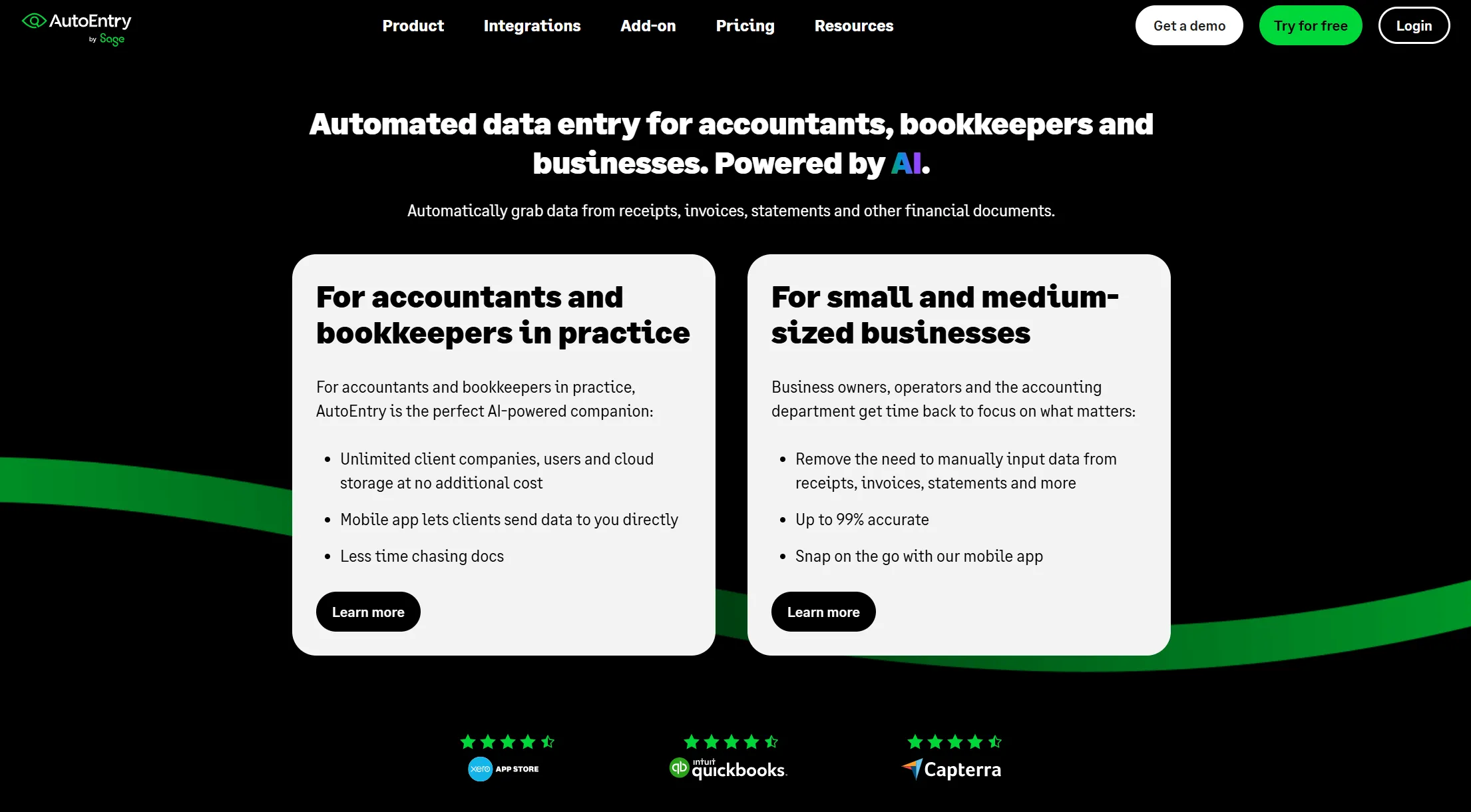
Sage acquired AutoEntry in 2019. The two integrate closely and are billed independently - and that second half is the part that catches people out.
AutoEntry does what AI Capture does not: it reads line items, learns your nominal and VAT codes, and posts a verified transaction. It also handles bank and credit card statements.
The cost model is credits, and the credit cost varies by what you ask for:
| Document | Credits |
|---|---|
| Invoice, bill or receipt, header only | 1 |
| Invoice or receipt with line items extracted | 2 |
| Bank or credit card statement, per page | 3 |
Plans, ex VAT, following the September 2025 increase: Bronze £14 for 50 credits, Silver £25 for 100, Gold £47 for 200, Platinum £108 for 500, Diamond £300 for 1,500, Sapphire £469 for 2,500.
Run the arithmetic on line items and the shape becomes clear. A hundred supplier invoices a month, each split into its lines, is 200 credits - the Gold plan, £47 a month, on top of your Sage subscription.
Two more things worth knowing. Credits expire rather than accumulating indefinitely, and inside a Sage 50 bundle they can expire monthly instead of rolling. And Sage for Accountants in the UK includes AutoEntry with new Client Management accounts, which changes the calculation completely if you run a practice. Ask Sage what your allowance actually is rather than assuming.
Route 3: Spreadsheet import and the API
Sage Accounting accepts CSV imports, and there is a REST API behind the product.
Imports earn their place during a migration, when you are moving a year of history in one operation and column mapping is a one-off cost. As a daily habit they are fragile: someone maintains the template, someone fixes the row that failed, and nothing carries the source PDF.
The API is the right answer when invoices already exist as structured data in another system you control. It is the wrong answer when they arrive as PDFs from forty different suppliers, because then you are building the extraction layer yourself.
Route 4: A capture tool in front of Sage
The fourth route puts something between your suppliers and Sage that collects the documents, reads them in full, and posts finished purchase invoices. It is the only route here that solves collection as well as extraction, which is why it is the one that survives growth.
Tailride
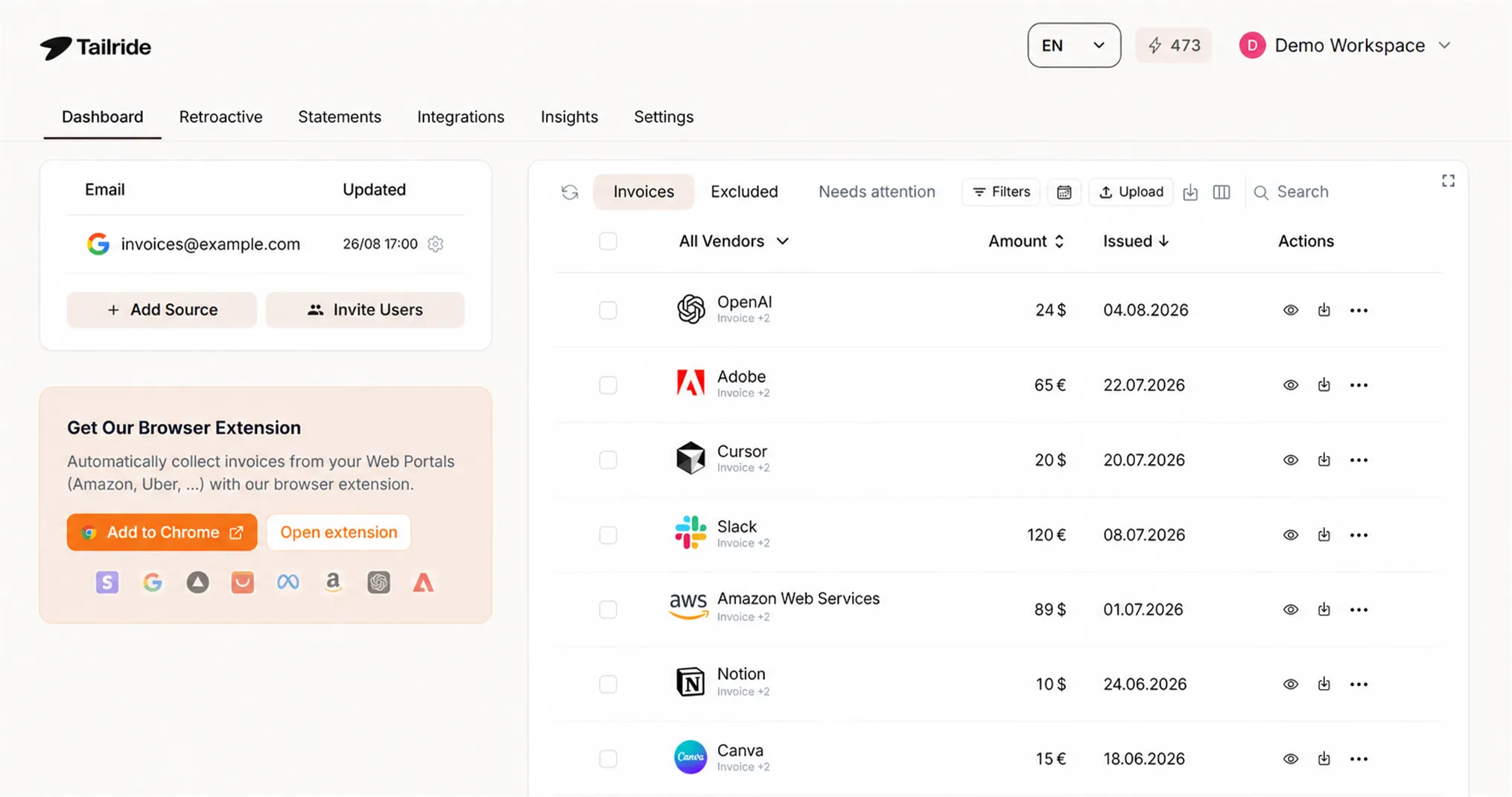
Tailride is built around the two things Sage's own tools leave alone: getting hold of the document in the first place, and coding it properly once you have it.
Collection. Inbox scanning connects to Gmail, Outlook or IMAP directly, so invoices are found where they land instead of waiting for someone to forward them. Supplier portals are handled by a browser extension working from the session you are already signed into, so nothing stores credentials in the cloud and nothing breaks the week a supplier switches on two-factor. Over 100 portals work out of the box - the full list is in the portals directory - and new ones can be taught. Receipts sent over WhatsApp or Telegram come in as well.
Retroactive scanning. Point it at a mailbox and retroactive scanning rebuilds years of history on its own. For a practice taking on a client mid-year, that removes the request clients are always slowest to answer.
Line-level coding. AI extraction runs to the line on every plan rather than as a metered extra. Each line is coded to your own Sage chart of accounts, the VAT rate is taken per line instead of averaged across the bill, and reverse-charge documents are flagged for review rather than posted on a guess. The finished purchase invoice lands in Sage with the original PDF attached, and bank reconciliation matches it against the payment when it clears.
Pricing. Per document, never per seat or per client - the full pricing is public. The free tier covers 10 invoices a month and paid plans start at $19, so the hundred line-item invoices costed out below come in well under what the same work burns in AutoEntry credits. Setup detail sits on the Sage integration page; practices should start at AP automation for accountants or the accountants overview.
If invoice capture is one piece of a wider decision - credit control, practice management, client reporting - our guide to the best tools for accounting firms using Sage Accounting covers the whole stack rather than this one category.
The others worth knowing
Dext has the best mobile capture in the category and meters line items by credit. Hubdoc is free with Xero rather than Sage and captures headers only. Datamolino does line-item extraction well at a fair price, and GetMyInvoices is worth a look if collection is your only problem. We compared several of these properly in our Dext alternatives guide for UK practices, and there are head-to-head breakdowns on our comparison pages.
To be fair to Sage: if your documents already reach your inbox reliably, you need only supplier, date and total, and you are on Plus, AI Capture is free at that volume and there is no reason to add anything to it. This route earns its cost the moment collection becomes the bottleneck, or the moment you need lines.
What a hundred invoices a month actually costs
Assume 100 supplier invoices, and assume you want line items on each, because that is what coding to a chart of accounts requires.
| Route | Monthly cost | What you get |
|---|---|---|
| AI Capture, Sage Standard | £14.00 (30 free, then 70 × 20p) | Header only. No line items at any price |
| AI Capture, Sage Plus | £0 (inside the 100 allowance) | Header only. No line items at any price |
| AutoEntry standalone | £47 (Gold, 200 credits at 2 per document) | Line items, VAT and nominal codes |
| AutoEntry inside Sage for Accountants | Possibly included | Line items - confirm your allowance with Sage |
| Tailride | From $19 | Line items and coding, plus collection from inbox, portals and history |
The row that matters is the first two. AI Capture on Plus is free at this volume and useful at it - and it will never give you line items, because that is not what it does. No amount of spending moves it.
So the real question is not cost. It is whether header data finishes the job for your books.
Prices move. Check Sage's and AutoEntry's current pages before you commit to anything on the strength of this table.
Where each route stops
Setting cost aside, each route has a hard edge worth naming.
AI Capture stops at the header, at one transaction per file, and at the tier gate on Start. It also only ever processes what you put in front of it.
AutoEntry stops at the credit ladder. Nothing about it is limited technically, but volume converts directly into spend, and line items double the rate.
Spreadsheet import stops at the source document. A CSV row is a number without evidence attached, and for VAT records you need the invoice itself retained and legible.
Every route above shares one limit: they all begin with a document that has already reached you. The invoice still sitting behind a supplier portal login, or in a colleague's inbox, or in the eighteen months of history you inherited with a new client, is not in any of these workflows until somebody goes and gets it.
That is the gap Tailride was built for, and it is a different problem from extraction accuracy. Direct mailbox access, portal capture through the browser extension, and retroactive scanning of everything already sitting in history mean the document arrives without anyone going to fetch it.
FAQ
Does Sage Accounting have an email address I can forward invoices to?
Yes. AI Capture generates one, which you copy from the Upload file screen under Purchases. It is system-generated and cannot be changed, so it works for your own forwarding but is not a friendly address to give suppliers.
Does AI Capture extract line items?
No. Sage documents it as extracting the supplier, the description and the amount. For line-level detail you need AutoEntry or a third-party capture tool.
How many documents can I upload to Sage Accounting at once?
Up to 25 files per upload, one transaction per file, maximum 20 MB each, in PDF, JPG, JPEG, PNG or TIFF.
Is AI Capture included in my Sage plan?
It is included on Sage Accounting Standard and Plus, and you need access to Purchases. Standard covers 30 transactions a month and Plus covers 100, with further transactions at 20p each.
How much does AutoEntry cost per invoice?
It depends what you extract. Header-only documents cost one credit, documents with line items cost two, and bank statement pages cost three. On the Silver plan at £25 for 100 credits, that is 25p for a header-only document or 50p for one with line items.
What is the cheapest way to get line items into Sage Accounting?
Not AI Capture, which does not extract them at any price. Standalone AutoEntry charges two credits per line-item document, so 100 invoices a month needs the £47 Gold plan. Tailride includes line-item extraction and coding on every plan from $19 a month, with the first 10 invoices free, and also collects the documents rather than waiting for them to be uploaded.
Can I get invoices into Sage automatically, without uploading or forwarding anything?
Not with Sage's own tools - AI Capture and AutoEntry both process what you put in front of them. For collection to be automatic you need something with direct mailbox and portal access. Tailride connects to Gmail, Outlook or IMAP, captures portal invoices through a browser extension, scans existing history retroactively, and posts finished purchase invoices into Sage.
What else does a Sage practice usually need alongside invoice capture?
Capture is one of five categories firms typically end up buying: invoice and AP automation, credit control, practice management, financial reporting, and workflow automation. We covered the strongest option in each in best tools for accounting firms using Sage Accounting.
Does any of this work with Sage 50?
Not as described here. Sage 50 is a separate desktop product with its own tooling. AutoEntry integrates with it, but AI Capture in Sage Accounting is a different feature, and most third-party capture tools support one product or the other rather than both.
Do I still need to keep the original invoice?
Yes. UK VAT records, invoices included, are kept for at least six years, and a digital copy is acceptable provided it is legible and complete. Whichever route you choose, check that the source document is stored against the transaction, rather than only the numbers taken from it.
The takeaway
Sage Accounting is unusual in this comparison because the vendor supplies both halves of the answer and prices them differently. AI Capture is included and reads headers. AutoEntry reads lines and charges by credit, at double rate for the thing you most want.
Work out which of those two things your bookkeeping actually needs before comparing prices, because the cheap option and the capable option are not the same product, and no plan upgrade turns one into the other.
Then ask the separate question: are your invoices reaching you in the first place? If a meaningful share still sits in portals or unforwarded inboxes, extraction was never the bottleneck, and no amount of AI Capture or AutoEntry credit will fix it.
That is where we come in. Tailride collects from inboxes, portals and messaging apps, rebuilds the history you never captured, codes every line to your Sage chart of accounts and posts the purchase invoice with the PDF attached. Ten invoices a month are free, so you can point it at your own documents before deciding anything. Start free → · See the Sage integration → · Pricing →
Related guides
-
Best Tools for Accounting Firms Using Sage Accounting - the wider stack around this one category
-
How to Integrate Invoice Software with Your Accounting System
-
Features: inbox scanning · retroactive scanning · online portals · AI processing · automatic coding · reconciliation