How to Get Invoices and Bills into FreeAgent Automatically (2026)
Get every invoice into FreeAgent - how Smart Capture works, its limits, and the Tailride FreeAgent integration.

Last updated: July 2026 · ~9 min read · Published by Tailride
If you've moved to FreeAgent from Xero or QuickBooks, one habit breaks on day one: there's no address to email your bills to. Xero gives you a @xerofiles.com inbox, QuickBooks gives you an @assist.intuit.com one, and forwarding a supplier PDF is muscle memory. FreeAgent doesn't work that way - getting a bill in means putting the file in front of it yourself.
That's not a flaw so much as a different design. It does mean the "just forward it" workflow needs replacing. This guide covers what FreeAgent gives you natively for capturing bills, where those built-in tools run out of road, and the automatic route - connecting Tailride so every invoice, from your inbox or a vendor portal, lands in FreeAgent as a ready-to-review draft bill without anyone keying it in.
Can you email invoices to FreeAgent?

Not natively. FreeAgent has no dedicated email address for bills or receipts. You can't forward a supplier invoice to an inbox and have it appear as a draft bill the way Xero and QuickBooks let you. It comes up as a standing feature request on FreeAgent's own developer forum, but as of mid-2026 it isn't a built-in feature.
What FreeAgent gives you instead is Smart Capture - an upload-and-extract tool. You put a file in (drag it onto the desktop dashboard, snap a photo in the mobile app, or upload a batch of PDFs), and FreeAgent reads it and starts a draft. The catch is the "you put a file in" part: something still has to collect the invoice and hand it over. FreeAgent captures what you feed it; it doesn't go and fetch anything.
So the real question isn't "how do I email bills to FreeAgent" - it's "how do I get every invoice to the point where it's in FreeAgent, without spending an afternoon downloading PDFs." There's a native answer and an automatic one. Both are below.
How FreeAgent Smart Capture works
Smart Capture is FreeAgent's built-in extraction tool (it replaced the older Auto Extract feature, and since November 2024 it handles bills as well as receipts). The workflow:
Get the file in. On desktop, drag a PDF or image onto the dashboard, or use the Upload button - one file or several at once. On mobile, open the FreeAgent app and photograph the receipt. The file lands in a holding area.
FreeAgent reads it. Smart Capture runs OCR and pulls out the two fields it's reliable on: the date and the amount. It will often suggest a contact and a category too, and once a matching payment shows up in your bank feed, it can auto-match the bill to that transaction.
Convert to a bill. From the captured file, you click through to create a bill (or an expense), review the fields FreeAgent filled in, correct anything it guessed, and save.
For a business handling a few receipts a week, this is enough. Snap, review, done.
What it costs
Smart Capture is free for the first 10 files per month (receipts or bills combined) on any FreeAgent subscription. Past that, you need the Smart Capture Unlimited add-on at £5 + VAT per month. Worth knowing if your volume sits just over the line - ten files disappears fast once you count every subscription receipt, supplier bill, and expense.
Where Smart Capture runs out

Smart Capture is built as a draft-bill helper, not a full data-entry replacement. A few limits show up quickly once volume climbs.
It's thin on data. Date and amount are the dependable outputs. Supplier name, VAT breakdown, line-item detail - those are hit-and-miss, and on messy or high-volume PDFs they're more miss than hit. You end up filling the gaps by hand, which is the work you were trying to avoid.
It only sees files you already have. Smart Capture doesn't watch your inbox. If a supplier emails a PDF, someone has to open the email, download the attachment, and upload it. Nothing is automatic upstream of the upload box.
It doesn't touch vendor portals. A large share of invoices never arrive by email at all - they sit behind a login on Amazon Business, Stripe, Meta Ads, your hosting provider, dozens of SaaS tools. Smart Capture can't reach them. You log in, download, then upload, one portal at a time.
The free tier is small. Ten files a month is generous for a sole trader and tight for anyone else.
There's a knock-on effect worth naming. FreeAgent is built around UK compliance, and most of its users file VAT under Making Tax Digital. When Smart Capture leaves the VAT amount or rate blank - or guesses a supplier wrong - that's not just tidiness, it's a number in a return you'll submit to HMRC. The thinner the extraction, the more manual checking sits between a captured file and a bill you'd trust in a VAT period. Accurate line-item and tax data at the point of capture is what keeps that review short.
None of this makes FreeAgent a bad choice - its books, invoicing, and Self Assessment tooling are why people pick it. It just means the capture side needs help once you're past a trickle of receipts.
The automatic route: connect Tailride to FreeAgent
The reason invoice handling eats hours isn't the typing. It's the hunting: opening inboxes, digging through threads, logging into a dozen portals to download PDFs one at a time. Ardent Partners pegs the cost of processing a single invoice manually at $12.88, versus $2.78 for automated teams - and most of that gap is time lost to collection and correction, not data entry (Ardent Partners, AP Metrics that Matter).
Tailride closes that gap on both ends: it collects every invoice for you, reads the full detail off each one, and pushes it straight into FreeAgent as a draft bill. The same native integration model already runs for Xero, QuickBooks, Odoo, and Business Central - FreeAgent joins that list.
How it works
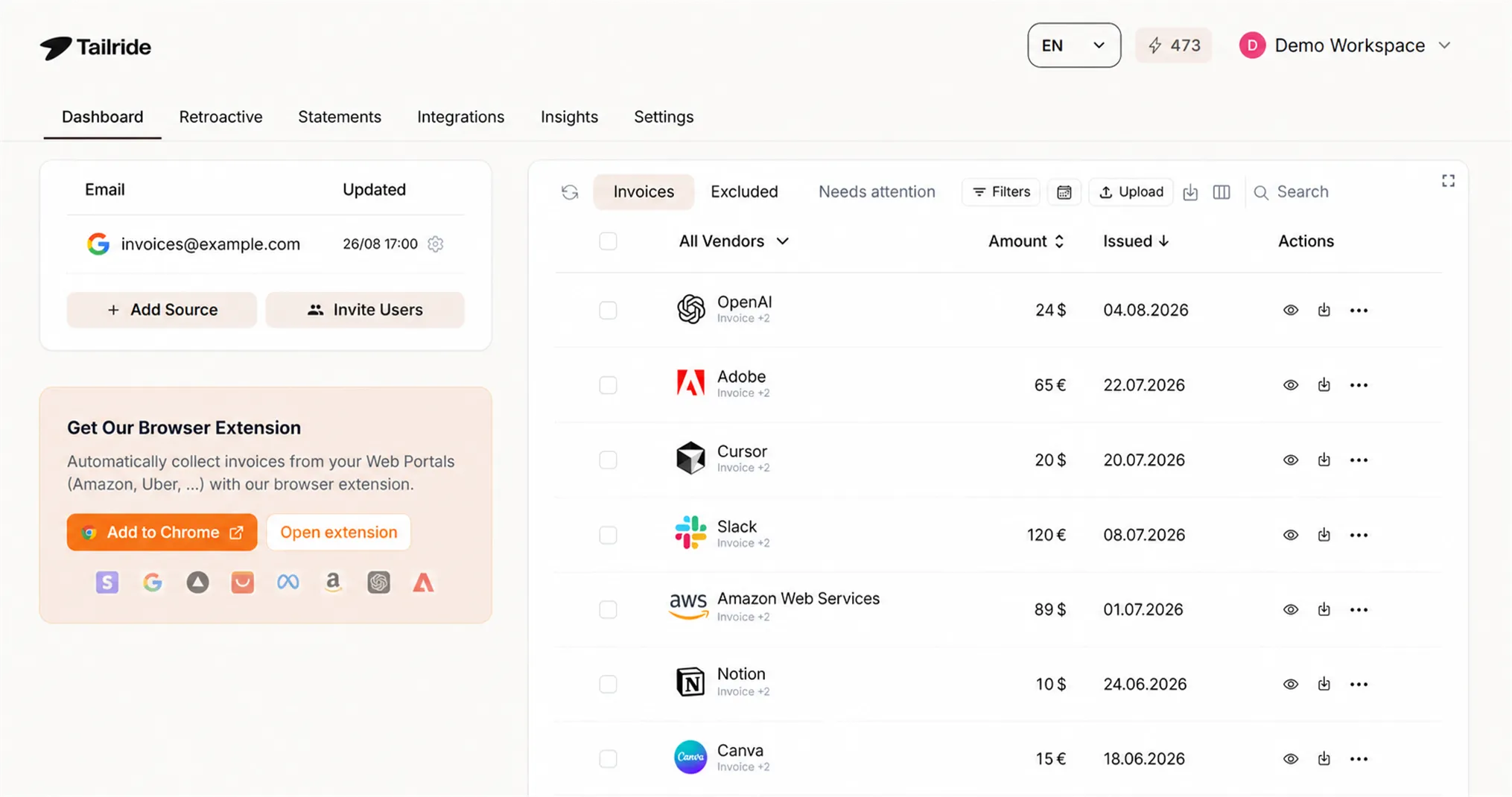
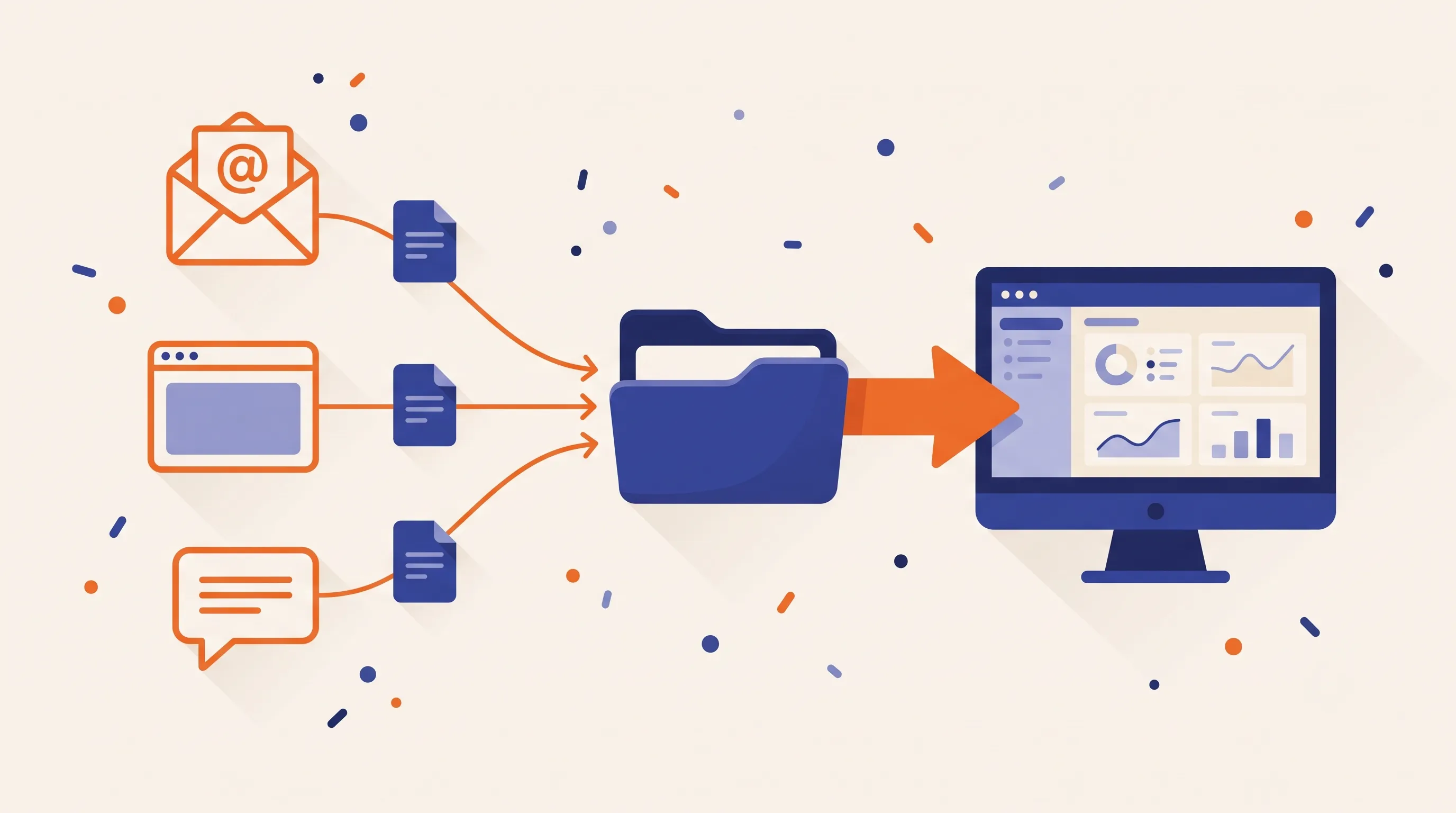
Capture, automatically. Tailride connects to your email (Gmail, Outlook, IMAP) and pulls invoice attachments the moment they arrive. For invoices locked behind portal logins - Amazon Business, Stripe, Meta Ads, and hundreds of others - a browser extension grabs them straight off the page while you're signed in. It even captures receipts sent over WhatsApp and Telegram. Everything lands in one dashboard, deduplicated, with the full set of fields read out of each document: supplier, VAT rate and amount, line items, totals, tax IDs - the detail Smart Capture leaves blank.
Connect FreeAgent once. In Tailride, open Integrations, choose FreeAgent, and authorize access to your account. There are no API keys to copy - it's a standard secure authorization, and once it's done the connection shows as Connected.
Send to FreeAgent. Pick an invoice (or select a whole batch) and choose Send to FreeAgent. Tailride creates a draft bill in your FreeAgent account with the contact, date, reference, category, net and VAT amounts, and line items already populated from the data it extracted - not just a date and a total. You review the draft, explain it against the bank transaction when it's paid, and it's on the books.
That's the whole loop: an invoice hits your inbox or a portal, Tailride catches it, reads it in full, and it's waiting in FreeAgent as a draft - no download, no upload, no re-keying, and no Smart Capture file cap in the way.
[Image: Tailride dashboard - captured invoices from email, portals and messengers in one list, with "Send to FreeAgent" in the actions menu.]
Everything Tailride captures also stays exportable - a CSV of every extracted field, a ZIP of the original PDFs, and an optional mirror to a Google Drive folder - so you keep a complete, independent record alongside what's posted in FreeAgent.
If you're bringing across invoices from before you connected, retroactive scanning pulls historical documents out of your inbox and runs them through the same flow.
Getting bills into FreeAgent: the options, compared
| Method | How it works | Best for | The catch |
|---|---|---|---|
| Manual upload | Drag/drop or Upload button, one file or a batch | Very low volume, occasional bills | You find and download every file yourself; date + amount only |
| Mobile Smart Capture | Photograph the receipt in the app | Paper receipts on the go | Phone-only; date + amount extraction; counts to your file cap |
| Third-party bridge (DoubleAgent, Datamolino, Receipt Bot) | A tool gives you a forwarding address and pushes bills in | Teams who specifically want email-in | Another subscription; extraction and coverage vary by tool |
| Tailride integration | Auto-collects from email + portals + messengers, then pushes draft bills into FreeAgent | Real volume from mixed sources | - |
Manual upload and mobile Smart Capture are FreeAgent's own tools - fine at low volume, entirely manual on collection. Third-party bridges bolt an email inbox onto FreeAgent but leave the downloading and portal logins to you. The Tailride integration is the one that removes the collection and the re-keying, so it's the route worth setting up if invoices arrive from more than one place.
Smart Capture alone vs Tailride + FreeAgent
| Smart Capture only | Tailride → FreeAgent | |
|---|---|---|
| Pulls invoices from your inbox | ✗ (manual download) | ✓ automatic |
| Captures from vendor portals | ✗ | ✓ browser extension |
| Extracted fields | Date, amount | Supplier, VAT, line items, totals, tax IDs |
| Handles WhatsApp / Telegram receipts | ✗ | ✓ |
| Deduplication | ✗ | ✓ |
| Into FreeAgent | Manual upload, then convert | One-click Send to FreeAgent → draft bill |
| File/volume cap | 10 files/month, then £5/mo | No FreeAgent-side cap |
| Record outside FreeAgent | ✗ | Dashboard + Google Sheet + CSV/ZIP |
The two work as a stack, not a either/or: Tailride does the collecting and the full extraction, FreeAgent holds the books. Once they're connected, you stop touching invoices until it's time to review a draft.
Which approach fits you
Under ~10 bills a month, mostly by email. FreeAgent's free Smart Capture is enough. Download the odd attachment, upload it, convert. Don't over-engineer it.
10–30 a month, or paper receipts on the road. The Smart Capture Unlimited add-on (£5/month) lifts the file cap, and the mobile app handles receipts as you get them. Still manual on collection, but workable.
30+ a month, or invoices scattered across email and portals. This is where manual collection stops scaling and the per-file review adds up. Connecting Tailride so invoices flow into FreeAgent as finished drafts is the point where the hours come back. Accounting firms running FreeAgent across several clients feel this fastest, since the portal-and-inbox hunt multiplies per client.
Frequently asked questions
Can I email invoices to FreeAgent like I could with Xero?
Not natively - FreeAgent has no bills email address. You can upload via Smart Capture, use a third-party bridge that adds a forwarding inbox, or connect Tailride, which captures invoices for you and pushes them into FreeAgent as draft bills automatically.
Does FreeAgent's Smart Capture extract line items and VAT?
Reliably, it extracts the date and amount. It may suggest a contact and category, but supplier name, VAT breakdown, and line-item detail are inconsistent - especially at volume. Anything it misses, you complete by hand. Tailride extracts the full set of fields before the bill reaches FreeAgent.
How much does Smart Capture cost?
The first 10 files per month (receipts or bills) are included free on any FreeAgent plan. Beyond that, the Smart Capture Unlimited add-on is £5 + VAT per month.
Can Tailride send bills into FreeAgent automatically, like it does for Xero or QuickBooks?
Yes. FreeAgent is a native Tailride destination: you authorize the connection once, then send any captured invoice - or a whole batch - into FreeAgent as a draft bill with the supplier, date, category, VAT, and line items already filled in. No manual upload, no Smart Capture file cap.
Can I get invoices from Amazon, Stripe, or other portals into FreeAgent?
Yes, with Tailride. FreeAgent's own tools only ingest files you upload, but Tailride's browser extension captures invoices directly from portal pages while you're logged in, then sends them into FreeAgent alongside your emailed bills.
How do I bring in historical invoices?
Tailride's retroactive scanning finds past invoices in your connected inbox and runs them through the same flow, so you can back-fill FreeAgent without digging through old email yourself.
Where this leaves you
FreeAgent won't take your bills by email, and its Smart Capture only works on files you've already tracked down. For a handful of receipts, that's no burden. Past that, the work isn't the capture - it's the collecting. Connect Tailride, and every invoice from your inbox and your portals arrives in FreeAgent as a finished draft bill, full detail intact, ready to review.
Start a free Tailride account - 10 documents a month, no card - and let your invoices land in FreeAgent on their own.
Questions? Reach us via the in-app chat or at support@tailride.so.
