Short answer
Choose Tailride if you want invoices collected automatically from email and supplier portals, your full inbox history recovered on any plan, bank reconciliation included, and a free tier with monthly billing from $19 — without burning 2 credits every time you need line items.
Choose AutoEntry if your priority is accountant-grade line-item OCR posted straight into Sage, Xero or QuickBooks, you mainly upload or photograph documents, or you need purchase-order matching and bank-statement page extraction inside the Sage ecosystem.
What is AutoEntry?
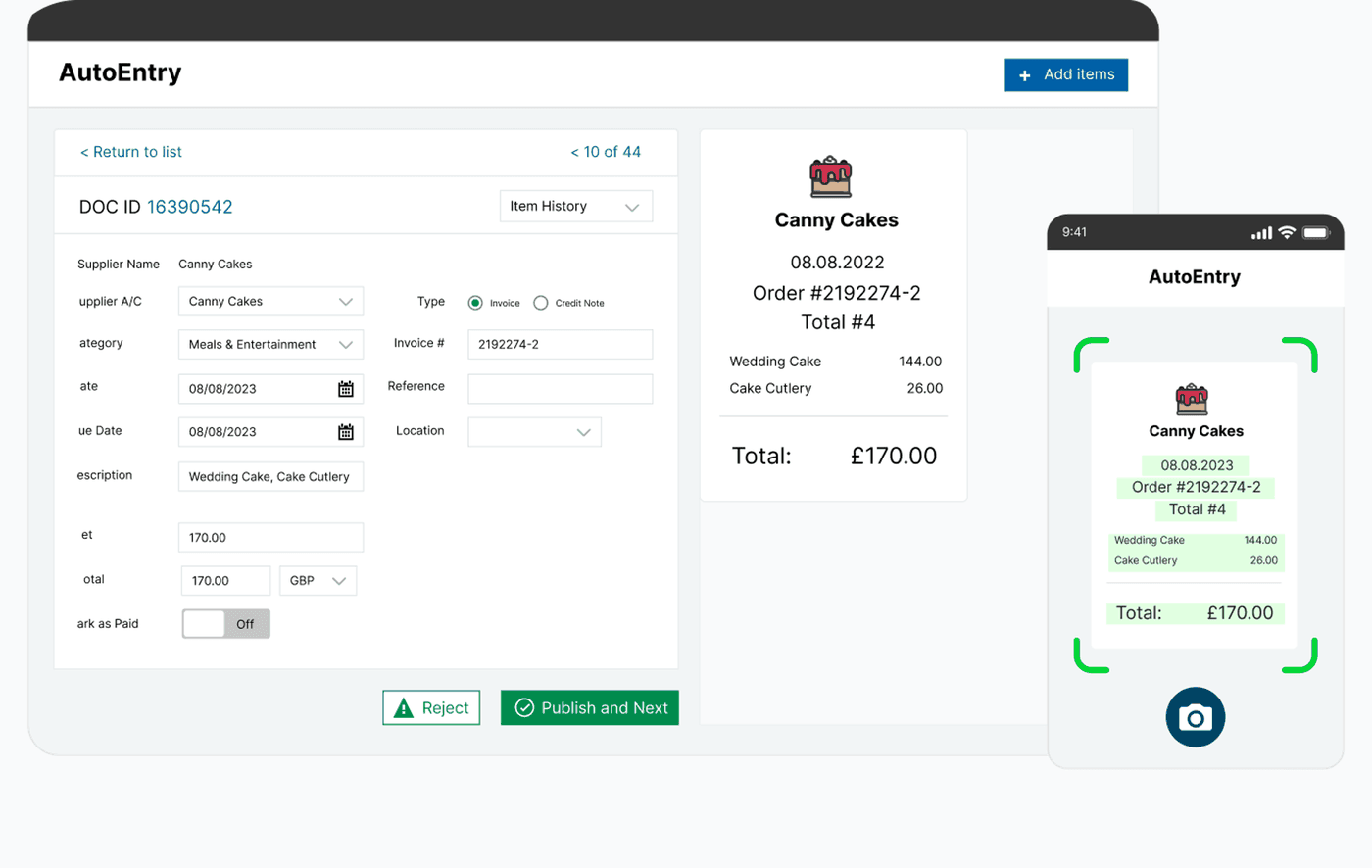
AutoEntry is a Sage-owned document capture platform founded in Dublin in 2011 and acquired by Sage in 2019. It uses machine learning to extract data from supplier invoices, receipts, credit notes and bank statements — including full line items — then publishes verified transactions into Sage, Xero, QuickBooks, FreeAgent and other ledgers. Practices can cover unlimited client companies on one subscription, with credits pooled across the book of business.
Pricing is credit-based. Bronze starts at roughly €17 / £14 per month for 50 credits. A standard invoice or receipt costs 1 credit; line-item extraction costs 2; each bank or card statement page costs 3. Unused credits roll over for up to 90 days. There is a 25-credit trial and no permanent free tier. Day-to-day intake is upload, email-forward or mobile capture — AutoEntry does not scan your Gmail/Outlook history or fetch supplier portals.
Where AutoEntry has the edge
An honest comparison starts with what AutoEntry genuinely does well. It is the better choice when:
Accountant-grade line-item OCR
AutoEntry is widely praised for extracting description, quantity, unit price and VAT at line level before posting into the ledger. If your bottleneck is keying complex multi-line bills — not collecting them — this is its core strength.
Deep Sage ecosystem fit
Owned by Sage and tightly integrated with Sage 50, Sage Accounting and Sage for Accountants (with credits included on some UK bundles), AutoEntry is the natural capture layer for Sage-centric practices.
Bank statement page extraction
Each bank or credit-card statement page can be OCR'd and posted as transactions. Tailride matches invoices to bank feeds; AutoEntry is stronger when the raw input is a PDF statement that needs converting.
Purchase order matching
On QuickBooks and Xero, AutoEntry can match bills to purchase orders. Tailride focuses on collection, extraction and bank reconciliation rather than PO workflows.
Credit rollover for seasonal volume
Unused credits keep for up to 90 days, which helps practices with lumpy month-end volumes — a flexibility Tailride's fixed monthly invoice allowances do not mirror one-for-one.
Where Tailride wins
Collection, not just capture
AutoEntry waits for documents to be uploaded, emailed or photographed. Tailride connects Gmail and Outlook, retroactively scans the whole inbox, and fetches invoices from 100+ supplier portals — including custom and intranet ones — inside your own logged-in browser session.
No 2× credit tax on line items
Needing line items doubles AutoEntry credit use (2 credits per invoice). Tailride plans are priced per invoice processed — line-item understanding is part of the AI extraction, not a separate credit multiplier.
A real free tier and simple monthly plans
AutoEntry offers 25 trial credits and then paid credit packs. Tailride is free for 10 invoices every month indefinitely, then $19 for 75, with monthly or annual billing and no credit arithmetic.
Bank reconciliation of invoices
AutoEntry turns statement PDFs into ledger lines. Tailride connects your bank accounts and AI-matches each invoice to the corresponding transaction so you see paid, unpaid and missing documents.
Link-only and HTML email invoices
Many SaaS receipts arrive as a link or HTML body with no PDF. Tailride follows invoice links (Stripe today, more coming) and extracts from email bodies — workflows AutoEntry's attachment/upload model does not cover.
Customisable AI processing rules
Steer Tailride with plain-language rules per vendor or workflow. AutoEntry learns nominal/VAT codes from history, but the intake pipeline still depends on someone submitting each document.
More capacity per dollar at entry
Tailride's $19 Starter covers 75 invoices/month. AutoEntry Bronze covers 50 credits — and only 25 invoices if you always extract line items.
Coding, not just extraction
Tailride assigns every line item to your own chart of accounts — account plus tax code — after syncing that chart from QuickBooks, Xero, Odoo or Business Central and importing the coding you already use. It learns from each correction, per client. Line-level coding never costs extra credits.
More destinations for the finished data
Coded invoices go to QuickBooks, Xero, Odoo, Business Central, FreeAgent or Lexware Office, archive copies land in Google Drive, Google Sheets or OneDrive, and DATEV export, CSV or the API cover everything else — with the original document attached throughout.
Learn more: Retroactive invoice scanning · Inbox scanning · Browser extension
Pricing compared (as of July 2026)
AutoEntry Bronze is about €17 / £14 per month for 50 credits (excl. VAT). Standard invoices cost 1 credit; line items 2; bank/card statement pages 3. Higher tiers scale to hundreds or thousands of credits. Unused credits roll over up to 90 days. Trial includes 25 free credits. There is no permanent free plan.
Tailride is free for 10 invoices per month, then $19/month for 75, $49 for 350, $99 for 750 and $199 for 1,500 — every plan billed monthly or annually, with unlimited web portals, full inbox history recovery and bank reconciliation included, and roughly two months free on annual billing.
A worked example
An SME processing ~40 multi-line supplier invoices per month needs ~80 AutoEntry credits (2 each), so at least Silver-tier volume — while still forwarding or uploading every document. On Tailride, the same volume fits the $19 Starter billed monthly, with inbox and portal collection plus bank matching included.
Feature comparison
| Feature |  AutoEntry AutoEntry |  |
|---|---|---|
| Entry pricing | ~€17 / £14/mo for 50 credits (Bronze) | Free for 10 invoices/mo; $19/mo for 75 |
| Free tier | 25 trial credits only | 10 invoices/month, permanent |
| Line-item extraction cost | 2 credits per invoice | Included in per-invoice plan limits |
| Email history recovery | Not supported — forward/upload only | Full inbox history on every plan |
| Supplier portal fetching | Not supported | 100+ pre-built portals; teachable for any other |
| Custom & intranet portals | Not supported | Teach the extension any portal, including intranet |
| Document intake | Upload, email-forward, mobile app | Connected Gmail/Outlook + portals + upload |
| Data extraction | Strong ML OCR; excellent line items | AI document understanding — email body, PDFs, images |
| Link-only emails (no attachment) | Not a focus | Follows invoice links (Stripe today, more coming) |
| Bank statements | OCR each statement page (3 credits) | AI-match invoices to live bank transactions |
| Purchase order matching | Yes on QuickBooks and Xero | Not a focus |
| Accounting hand-off | Sage, Xero, QuickBooks, FreeAgent and more | QuickBooks, Xero, DATEV export (XML + PDFs), CSV, API |
| Accountant multi-client | Unlimited client companies; pooled credits | Accountant accounts with master + per-client dashboards |
| Desktop app (Mac & Windows) | Not offered | Free app: scheduled collection from your own computer, logins kept on your machine |
| Proton Mail invoices | Not supported | Read on your computer via Proton Mail Bridge; email receipts turned into PDFs |
Choose AutoEntry if you…
- •Need best-in-class line-item capture posted into Sage, Xero or QuickBooks
- •Mainly work from scanned paper, emailed PDFs or mobile photos
- •Want purchase-order matching on Xero or QuickBooks
- •Need bank/credit-card statement PDF conversion into the ledger
- •Prefer a Sage-owned tool inside an existing Sage practice stack
Choose Tailride if you…
- Want invoices collected from email and supplier portals automatically
- Need your entire inbox history recovered, not just new forwards
- Prefer a free tier or simple monthly plans without credit multipliers
- Want invoices matched against bank transactions automatically
- Receive SaaS receipts as links or HTML bodies rather than PDFs
- Need teachable custom or intranet portal extraction
- Want more document capacity per dollar at the entry price
How to switch from AutoEntry to Tailride
- 1Connect your email accounts — Tailride retroactively scans your entire inbox history so you are not limited to documents you previously forwarded to AutoEntry. Export any archived AutoEntry documents as a backup.
- 2Install the Tailride browser extension and connect supplier portals in your own sessions — including portals you used to download manually for AutoEntry.
- 3Connect your bank accounts for AI-powered invoice-to-transaction matching.
- 4Run both tools in parallel briefly if you still need AutoEntry for statement OCR or PO matching, then cancel the AutoEntry subscription once collection is covered.
Frequently asked questions
How much does AutoEntry cost in 2026?
Bronze starts at roughly €17 / £14 per month (excl. VAT) for 50 credits. Standard invoices cost 1 credit, line items 2, and each bank/card statement page 3. Unused credits roll over for up to 90 days. Higher tiers scale with volume. There is a 25-credit trial and no permanent free plan.
Is there a free AutoEntry alternative?
Tailride has a permanent free plan for up to 10 invoices per month, including connected email accounts, unlimited portals, full inbox history recovery and bank reconciliation. AutoEntry offers 25 trial credits only.
Does AutoEntry scan my Gmail or Outlook history?
No. AutoEntry relies on uploads, forwarding to a dedicated address, or the mobile app. Tailride connects Gmail and Outlook and can scan your entire historical inbox.
Can AutoEntry fetch invoices from supplier portals?
No. Portal downloads are manual. Tailride's browser extension fetches from 100+ pre-built portals and can be taught virtually any other portal — including intranet systems.
Is Tailride as accurate as AutoEntry on line items?
AutoEntry is purpose-built for accountant-grade line-item OCR into ledgers — that is genuinely its edge. Tailride's AI extracts vendors, dates, totals and line items across email bodies, PDFs and images, and focuses more on collecting every document and reconciling it to the bank.
Does Tailride convert bank statement PDFs like AutoEntry?
Tailride connects bank accounts and matches invoices to transactions. Converting statement PDF pages into ledger lines is AutoEntry's specialty and not Tailride's primary workflow.
Will I lose old invoices if I switch?
No. Tailride's retroactive scan rebuilds your archive from existing inbox history, and you should export documents from AutoEntry before cancelling.
Can accountants use Tailride for multiple clients?
Yes. Tailride offers accountant accounts with a master dashboard, volume pricing and per-client dashboards — comparable in intent to AutoEntry's unlimited client companies with pooled credits.
Collect on a schedule, from your own computer
Tailride Desktop for Mac and Windows checks your portals in the background on the schedule you choose, signs in for you, and keeps your passwords on your computer instead of on someone else's server.

 Get the desktop app
Try the AutoEntry alternative that collects invoices for you
Free for your first 10 invoices every month. Full inbox history, unlimited web portals and bank reconciliation on every plan.