Best Browser Extensions for Amazon in 2026 (Chrome, Edge & Firefox)
Save money, track prices, and download invoices automatically - the best browser extensions for Amazon in 2026, across Chrome, Edge & Firefox.

Amazon is one platform doing five completely different jobs - price research, coupon hunting, invoice management, seller analytics, and day-to-day shopping. The built-in experience covers the basics, but it rarely goes far enough. Prices reset without warning. Coupon codes hide in plain sight. Invoices pile up behind login walls. Browser extensions fill every one of those gaps, and the best ones do it invisibly, activating only when you need them.
This guide covers the best Amazon extensions across all five use cases, verified as active in 2026, with browser compatibility noted for Chrome, Edge, and Firefox. If you're looking for a broader invoice extension roundup across all your vendors, see The Best Chrome Extensions for Invoices.
Best Amazon Extensions for Price Tracking
If you've ever bought something on Amazon and watched the price drop two days later, these extensions exist for exactly that scenario. Amazon adjusts prices constantly - sometimes multiple times a day - and the listed price at any given moment tells you nothing about whether it's a good time to buy. Price tracking extensions solve this by showing you the full history and alerting you when a product hits your target.
Keepa - Best for Price History & Drop Alerts
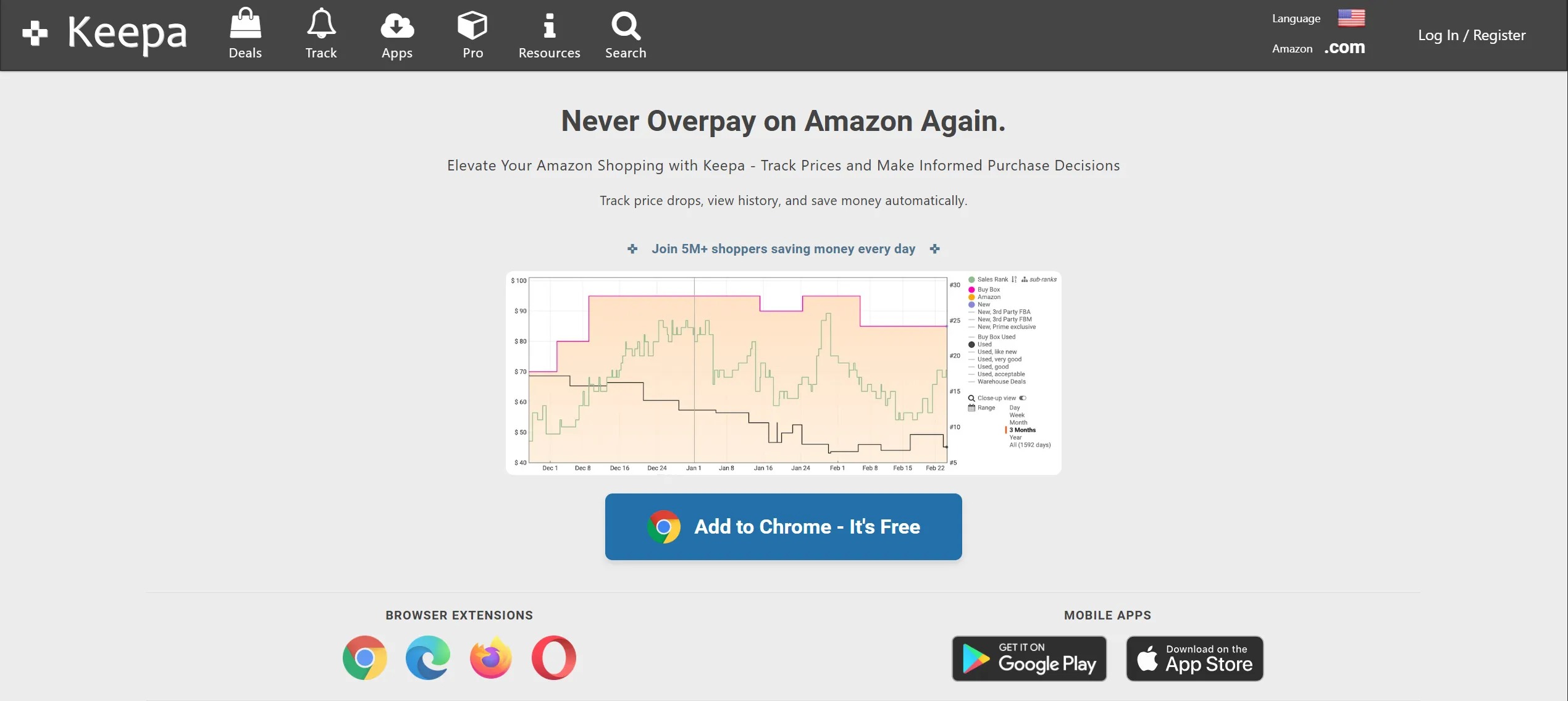
Keepa embeds price history charts directly on every Amazon product page - no need to open a separate tab or copy an ASIN into another tool. The chart appears automatically below the product listing and shows price movements going back years. It tracks prices across all major Amazon marketplaces (.com, .co.uk, .de, .fr, .ca, .it, .es, .in, .mx) and covers over one billion products.
You can set up email alerts for price drops and availability changes, which makes Keepa particularly useful for procurement teams and frequent buyers who want to time purchases strategically. If you're buying in bulk or managing recurring supply orders, a week's patience after setting a Keepa alert can mean meaningful savings at scale.
Available on: Chrome, Firefox, Edge, Opera
Price: Free tier; paid data subscription for extended history
The Camelizer by CamelCamelCamel - Best for Quick Price Checks
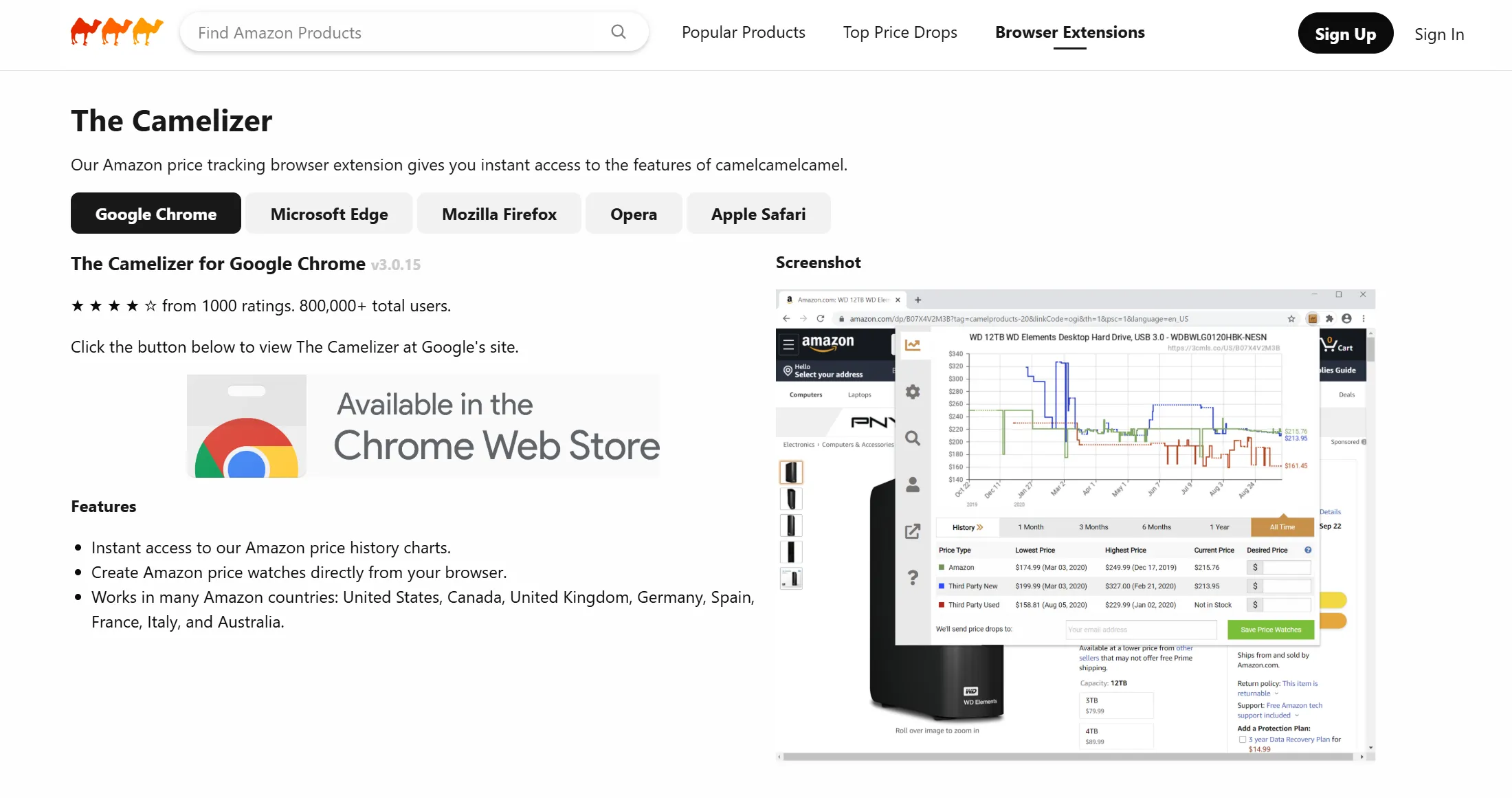
The Camelizer puts a CamelCamelCamel price chart one click away from any Amazon product page. Click the extension icon and a clean popup appears showing the full price history - new, used, and third-party - without leaving the page. It's lighter than Keepa, requires no account to use, and loads instantly. For shoppers who just want a quick sanity check before committing to a purchase, it does the job with zero friction.
Available on: Chrome, Firefox, Edge, Safari, Opera
Price: Free
| Extension | Price History Charts | Drop Alerts | Multi-marketplace | Account Required | Free |
|---|---|---|---|---|---|
| Keepa | ✅ Embedded on page | ✅ Email + browser | ✅ All Amazon domains | Optional | Free tier |
| The Camelizer | ✅ Popup on click | ❌ | ✅ | ❌ | ✅ |
Best Amazon Extensions for Coupons and Cashback
Coupon codes for Amazon are notoriously scattered - seller pages, promotional emails, third-party deal sites. Manually hunting them down before every purchase is slow and easy to forget. The extensions below automate the entire process, activating at checkout or in the background as you browse, so savings happen whether you remembered to look or not.
Capital One Shopping - Best for Automatic Coupon Application
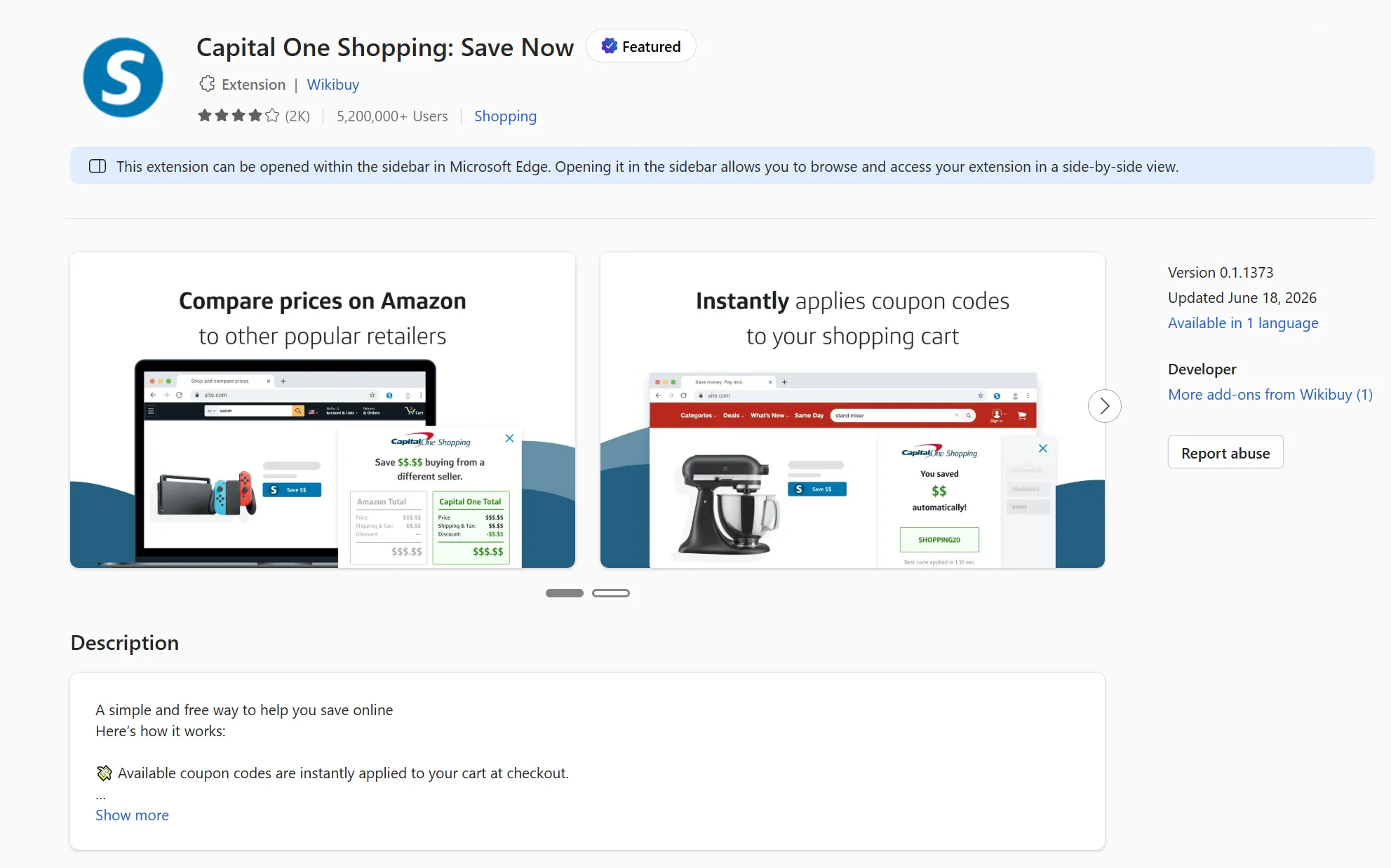
Capital One Shopping automatically tests available coupon codes at checkout and applies the best one before you complete your order. A popup appears when you reach the payment page, runs through its database of codes, and either applies a discount or confirms none are available - no manual input needed. Beyond coupons, it also compares prices across other retailers in real time, flagging if the same product is cheaper elsewhere while you're on the Amazon listing.
Capital One Shopping is free to use and doesn't require a Capital One bank account or credit card. It covers over 100,000 retailers including Amazon, and installation and setup guides have been updated through mid-2026. It's currently the cleanest like-for-like alternative to Honey for automated Amazon coupon application, without the privacy and affiliate controversy that has surrounded competing tools.
Available on: Firefox, Edge, Safari
Price: Free
Rakuten - Best for Cashback Rewards
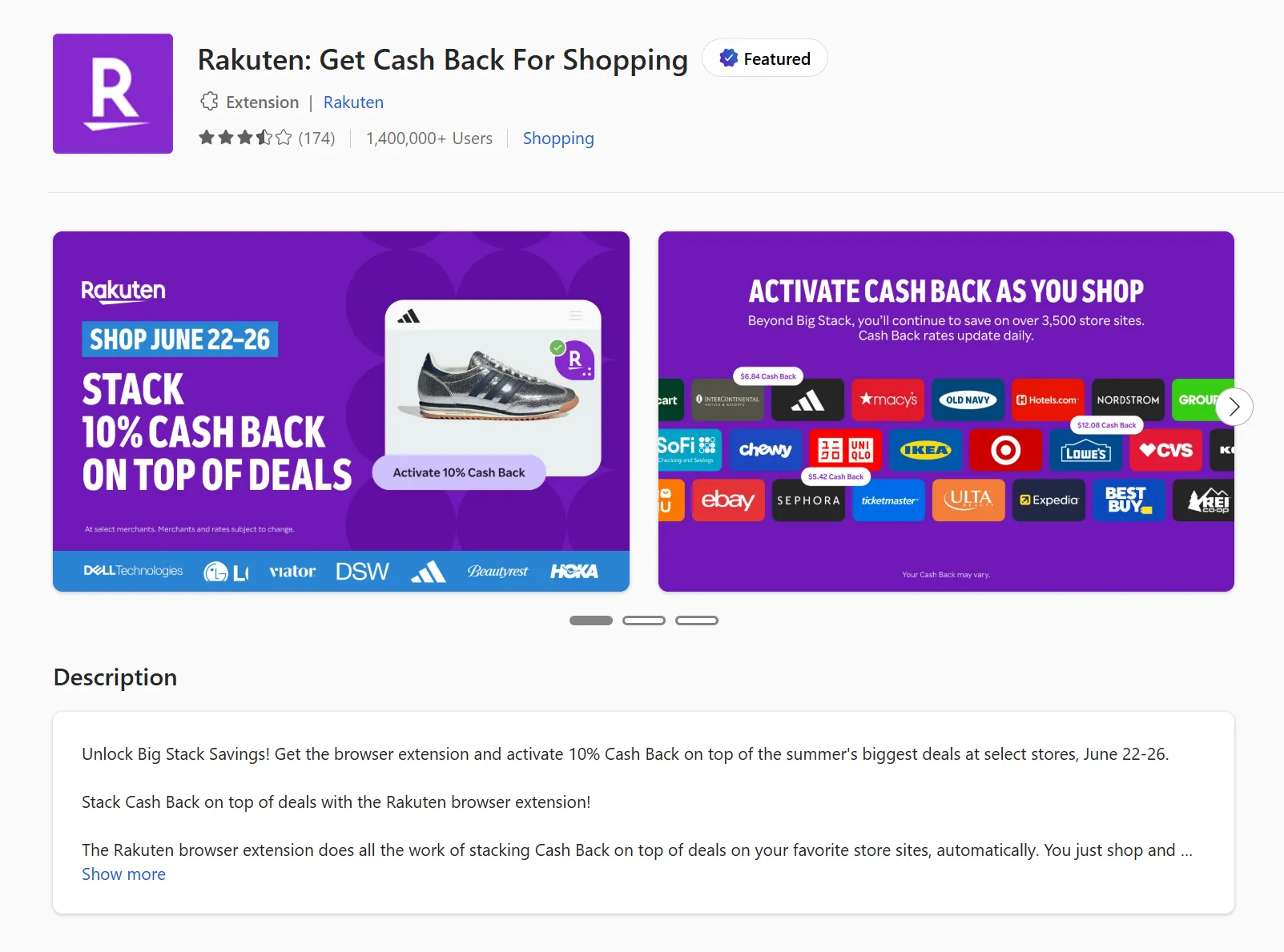
Rakuten works differently from coupon tools - rather than reducing your price at checkout, it earns you a cash percentage back on qualifying Amazon purchases, paid out quarterly via cheque or PayPal. Once the extension is installed and you've signed up for a free account, it tracks purchases automatically whenever you shop through an activated session. There's nothing to click or remember at checkout.
Rakuten's cashback rate on Amazon varies and changes periodically, but for frequent buyers the accumulated returns are meaningful over time. A full installation and setup guide was updated in April 2026, and the extension is available in Firefox and Edge.
Available on: Firefox, Edge
Price: Free
Coupert - Best Two-in-One Alternative
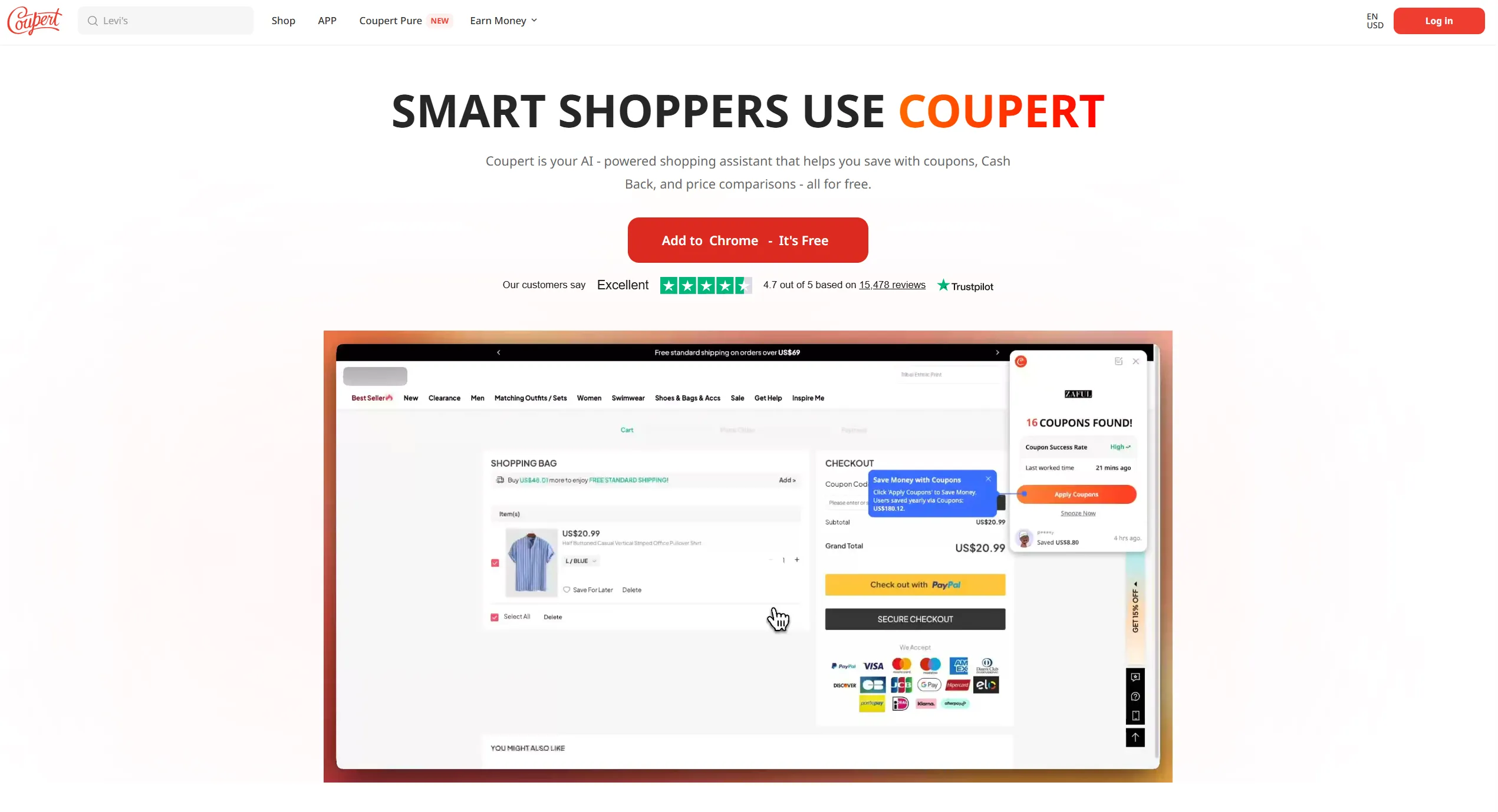
Coupert auto-applies coupon codes at checkout while also showing cashback offers in the same popup, consolidating both features into a single extension. When you land on a product page, Coupert displays available coupons and any active cashback rate together. For shoppers who want both features without running Capital One Shopping and Rakuten side by side, it's a solid single-extension option.
Available on: Chrome, Firefox, Edge
Price: Free
| Extension | Auto-coupons | Cashback | Price Comparison | Free |
|---|---|---|---|---|
| Capital One Shopping | ✅ | ❌ | ✅ Cross-retailer | ✅ |
| Rakuten | ❌ | ✅ Cash | ❌ | ✅ |
| Coupert | ✅ | ✅ | ❌ | ✅ |
Best Amazon Extensions for Invoice and Receipt Downloads
Finance teams, accountants, and anyone with an Amazon Business account consistently run into the same problem: Amazon's native interface makes bulk invoice retrieval slow and tedious. These extensions solve it.
Tailride - Best for Amazon Invoice Automation (Personal & Business)
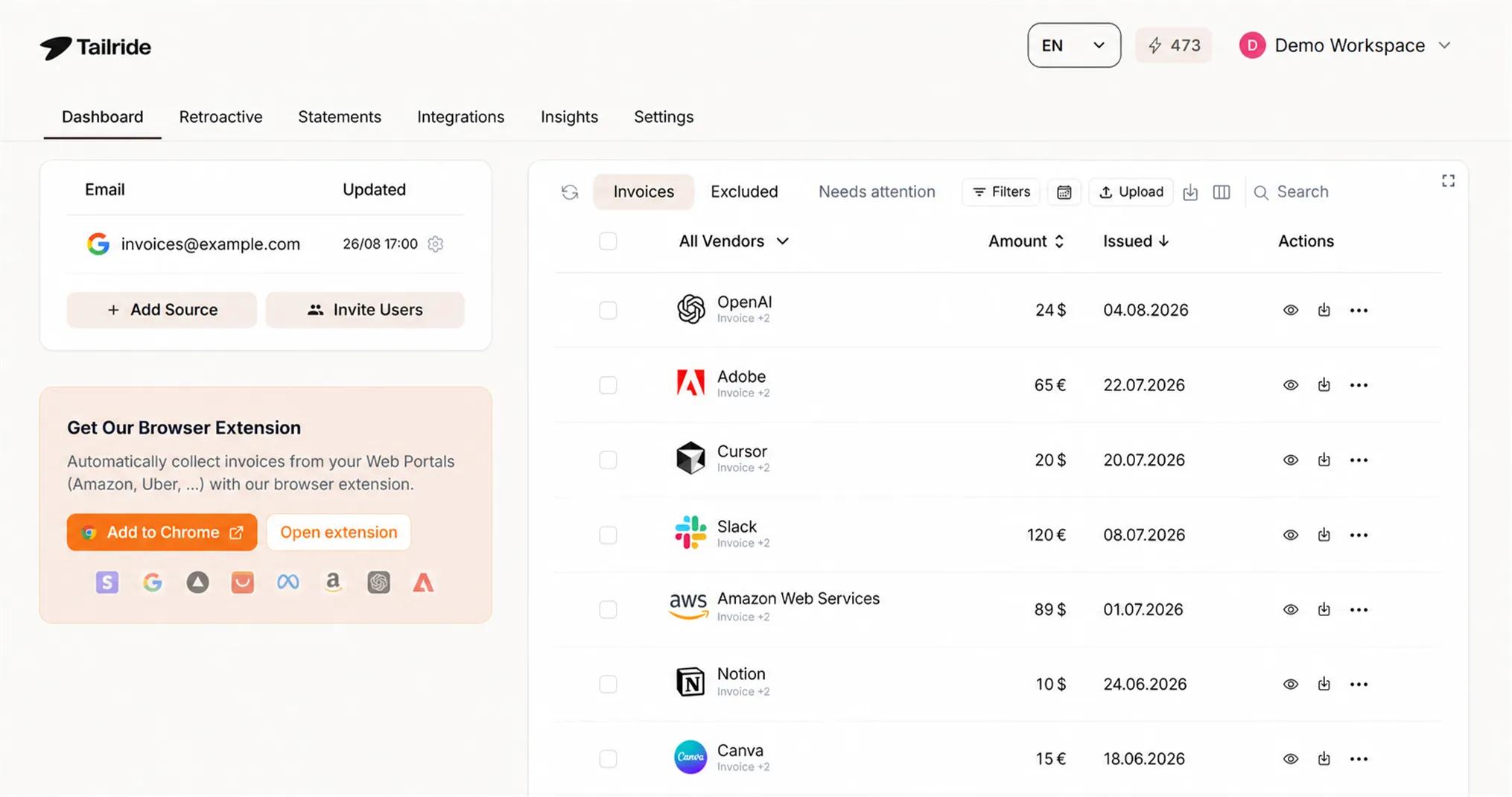
Tailride's browser extension pulls invoices directly from both Amazon Personal and Amazon Business accounts in a single click, across any date range and any Amazon marketplace domain. It's the only invoice extension in this guide available on Chrome, Edge, and Firefox - most standalone tools are Chrome-only.
Once downloaded, invoices are sent to your Tailride dashboard, Google Drive, OneDrive, or can be downloaded to a local folder. The extension uses your existing browser session to retrieve documents - no passwords are stored or transmitted.
Where Tailride goes beyond a typical Amazon invoice downloader is scale. The same extension covers 20+ vendor portals out of the box - Meta Ads, Google Ads, Adobe, Notion, Microsoft, AWS, ChatGPT, Stripe, and more. One extension handles your entire vendor stack, not just Amazon.
💡 Got a portal that's not on the supported list? Use Teach a Portal.
Open the portal's invoice page, click each element - the invoice rows, dates, and download links - and hit Save & Run. If you'd rather not do it manually, go to Settings → AI Assist, add your OpenAI, Claude, or Gemini API key, and hit Find with AI. It will handle the element mapping for you automatically.
Best for: Finance teams, AP managers, accountants, and Amazon Business buyers who want invoice collection fully automated across multiple vendor portals.
Available on: Chrome, Edge, Firefox
Price: Free tier (first 10 invoices/month); paid plans for volume
👉 Install Tailride Free - Download Amazon Invoices in One Click
Also see: How to Get an Amazon Invoice in 4 Clicks | Download Amazon Business Invoices
Standalone Amazon Invoice Downloaders - When You Only Need Amazon
If your needs are strictly limited to Amazon and you have no other vendor portals, standalone downloaders exist. The most prominent option on the Chrome Web Store bulk-downloads Amazon invoices for the current year across Amazon domains. However, it is a paid extension with mixed user reviews, Chrome-only, and has no accounting integration - files land in your Downloads folder rather than your books.
| Extension | Amazon Personal | Amazon Business | Multi-portal | Teach Your Own Portal | Chrome | Edge | Firefox | Accounting Integration | Free |
|---|---|---|---|---|---|---|---|---|---|
| Tailride | ✅ | ✅ | ✅ 20+ portals | ✅ + AI Assist | ✅ | ✅ | ✅ | QuickBooks, Xero, DATEV, Drive | ✅ free tier |
| Amazon Invoice Downloader | ✅ | ❌ | ❌ | ❌ | ✅ | ❌ | ❌ | ❌ | ❌ Paid |
| Seller Fee ZIP Downloader | ❌ | Seller Central only | ❌ | ❌ | ✅ | ❌ | ❌ | ❌ | ✅ |
For a full comparison of invoice tools across all your vendors, see The Best Chrome Extensions for Invoices.
Best Amazon Extensions for Sellers
Amazon sellers operate in a different context entirely - the priority is product research, competitor intelligence, and listing optimization, not shopping or invoicing. The two extensions below are among the most actively used tools in the FBA and private label seller community in 2026.
Helium 10 - Best All-in-One Seller Research Tool
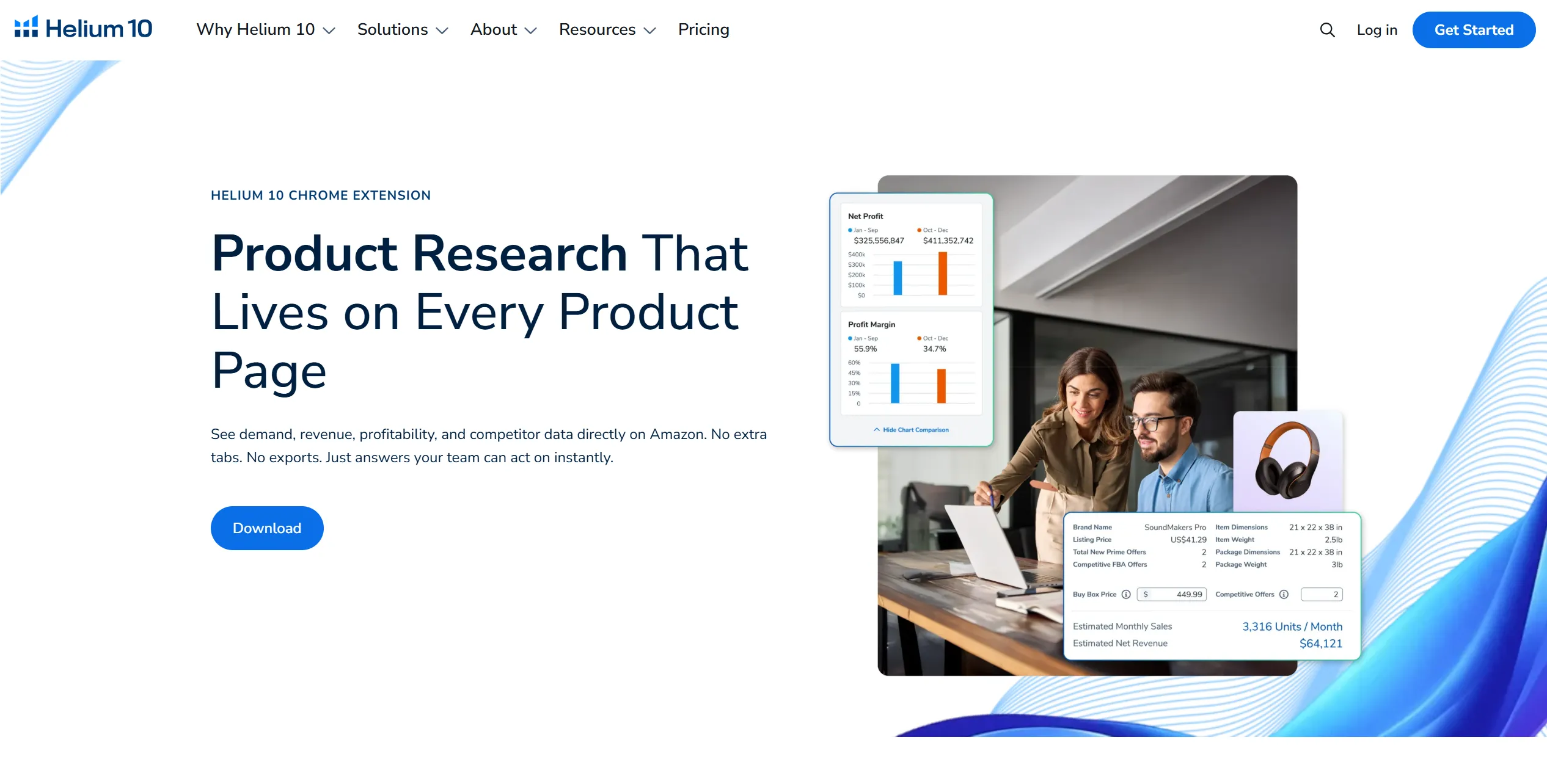
Helium 10's Chrome extension overlays product data directly on Amazon search results and product pages. The core tool within the extension is Xray, which surfaces estimated monthly sales, revenue, BSR history, review counts, and FBA fee calculations for any product you're viewing - without leaving the page. Alongside Xray, the extension includes a profitability calculator that factors in FBA fees, shipping estimates, and COGS to give you a margin estimate before you commit to sourcing, and Review Insights which surfaces patterns in customer feedback for any ASIN.
A free tier is available with limited daily uses across these tools, making it accessible for sellers who are still validating a niche before upgrading. A full installation walkthrough was published in May 2026.
Available on: Chrome
Price: Free tier; paid plans for full access and unlimited use
SellerSprite - Best for Competitor & Keyword Research
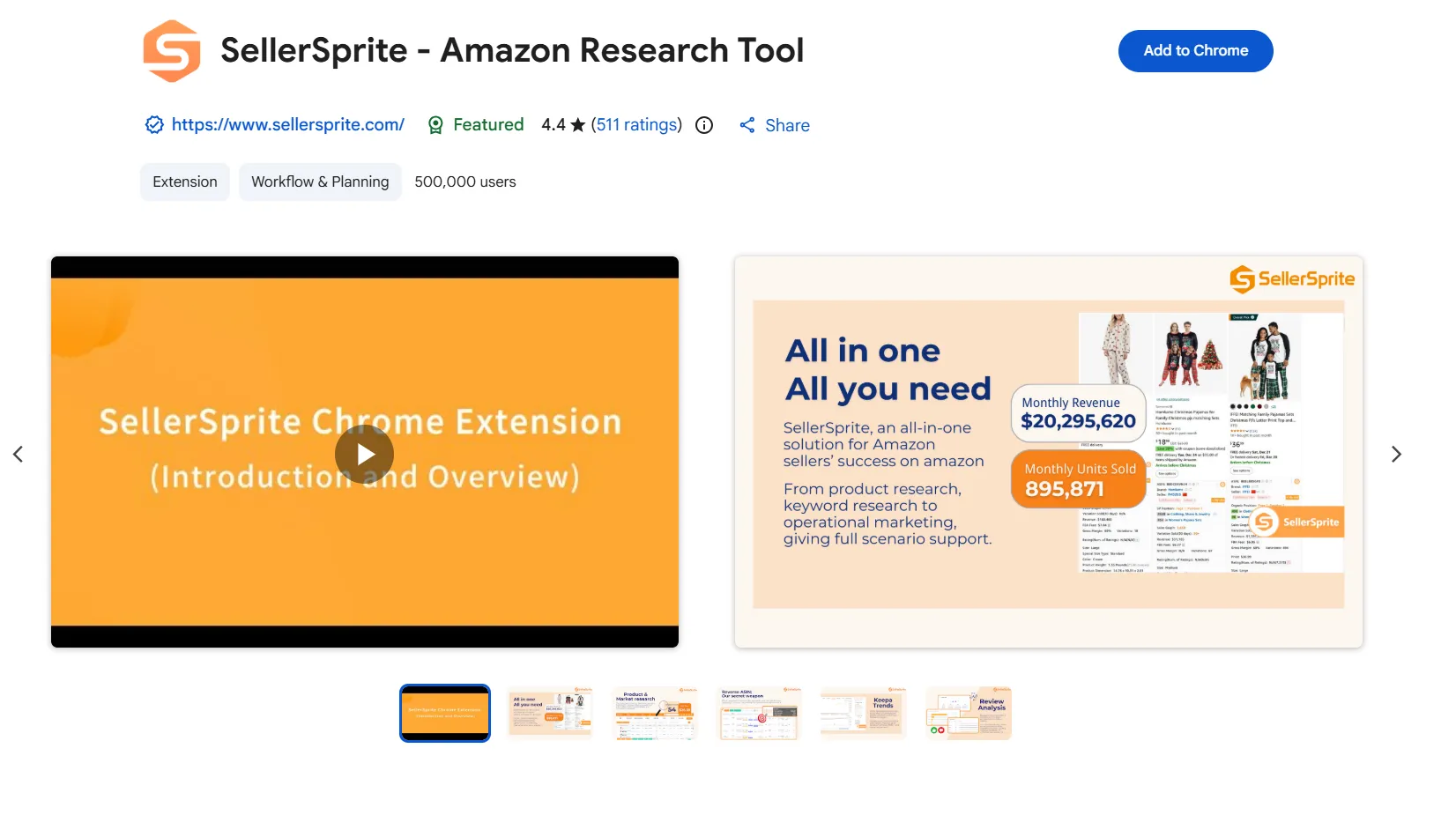
SellerSprite focuses specifically on keyword research and competitor analysis, surfacing search volume, keyword difficulty, and competing ASIN data directly on Amazon pages. Where Helium 10 is broad, SellerSprite goes deep on the keyword and market intelligence side - it's particularly useful for private label sellers evaluating whether a niche has sustainable demand before committing to inventory. The extension was last updated on the Chrome Web Store in May 2026.
Available on: Chrome
Price: Free tier; paid plans available
Note for sellers: Amazon also generates invoices for seller fees and ad spend. If you need those exported automatically for accounting purposes, Tailride's extension handles Seller Central fee invoices alongside your other vendor portals - without stacking a separate tool.
| Extension | Primary Use | Xray / Sales Data | Keyword Research | Profitability Calculator | Free Tier |
|---|---|---|---|---|---|
| Helium 10 | All-in-one seller research | ✅ | ✅ | ✅ | ✅ (limited) |
| SellerSprite | Keyword & competitor intel | ✅ | ✅ Deep | ❌ | ✅ (limited) |
Other Useful Amazon Browser Extensions
DS Amazon Quick View - Best for Fast ASIN Lookups
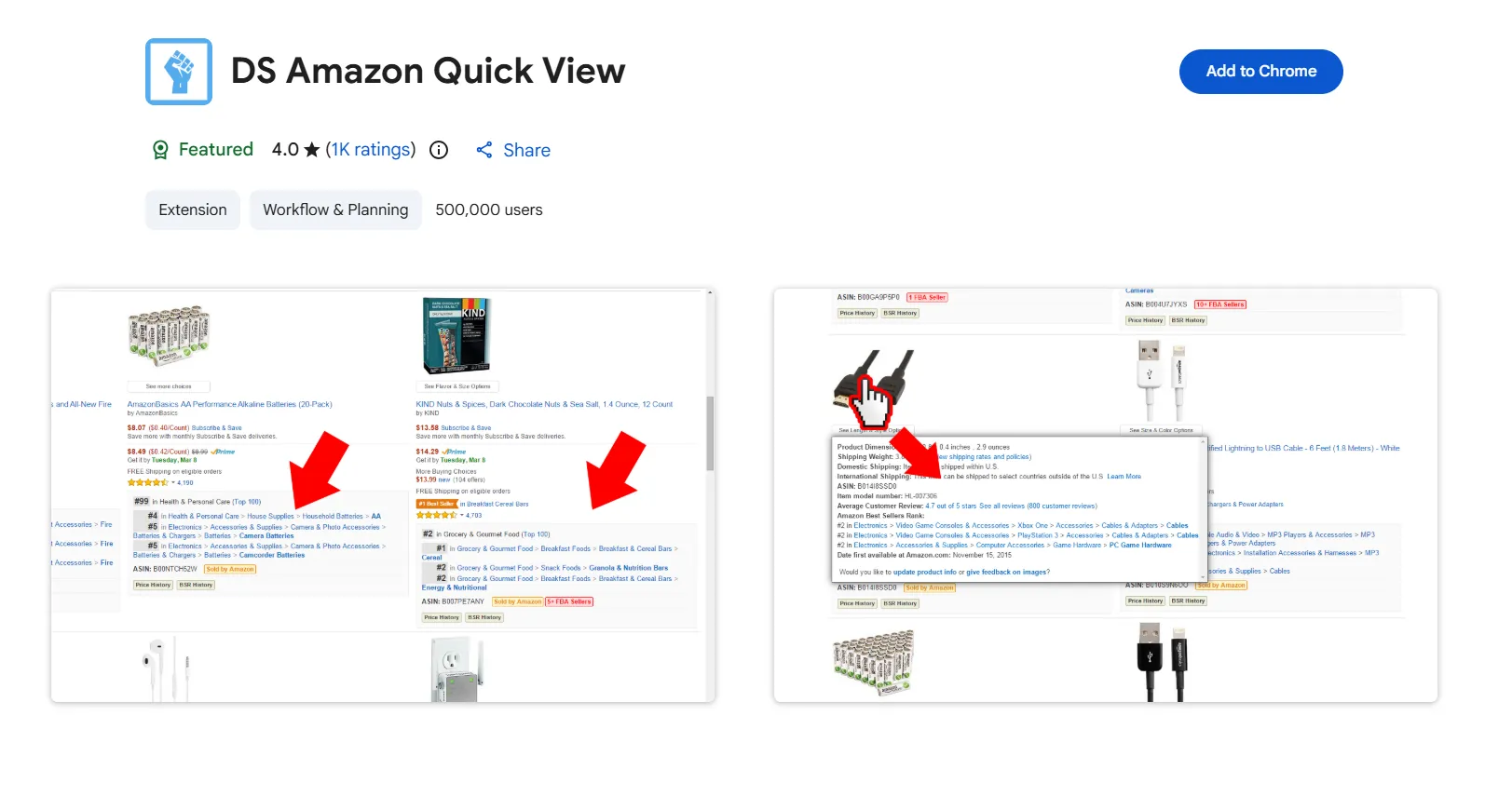
DS Amazon Quick View adds ASIN numbers, BSR (Best Seller Rank), prime eligibility, and basic product data directly to Amazon search results pages - without clicking into each product listing. For sellers doing rapid product scans, procurement teams reviewing supplier options, or researchers cross-referencing multiple products, it removes a significant amount of back-and-forth navigation. It works only on amazon.com; a separate extended version covers other Amazon marketplaces.
Available on: Chrome
Price: Free
FAQ
What is the best browser extension for Amazon?
It depends entirely on your use case. For price tracking, Keepa is the most powerful option - it embeds historical charts on every product page and sends drop alerts across all Amazon marketplaces. For coupons, Capital One Shopping handles automatic coupon application at checkout while also comparing prices across retailers. For cashback, Rakuten earns cash back passively on every purchase. For invoice and receipt downloads - especially across Amazon Business - Tailride automates the full collection process across Chrome, Edge, and Firefox, with integrations into QuickBooks, Xero, Odoo Accounting and DATEV. For Amazon FBA or private label sellers, Helium 10 is the standard starting point for product research and profitability analysis.
Does Tailride work on Firefox and Edge, not just Chrome?
Yes. Tailride is available on all three major browsers - Chrome, Edge, and Firefox. Most standalone Amazon invoice downloaders are Chrome-only, which makes Tailride the stronger choice for teams using Edge (common in corporate Windows environments) or Firefox. If your accounting or finance team uses a mix of browsers, Tailride is the only invoice extension in this guide that covers all three without needing separate tools.
Can I automatically download all my Amazon Business invoices with a browser extension?
Yes. Tailride's extension connects to both your Amazon Personal and Amazon Business accounts and bulk-downloads invoices across any date range in a single click. The invoices are sent to your Tailride dashboard, Google Drive, OneDrive, or can be downloaded to a local folder - and can be pushed directly into QuickBooks, Xero, Odoo Accounting or DATEV. See the full walkthrough: How to Get an Amazon Invoice.
What is the "Teach a Portal" feature in Tailride?
Teach a Portal lets you add any vendor portal that isn't already on Tailride's supported list. Open the portal's invoice page, click on the invoice rows, dates, and download links to map the elements, then hit Save & Run. If you prefer not to map elements manually, go to Settings → AI Assist, add your OpenAI, Claude, or Gemini API key, and hit Find with AI - it handles the mapping automatically. This means Tailride isn't limited to its pre-built portal list; any vendor that issues invoices through a web portal can be added.
Are Amazon browser extensions safe to use?
Reputable extensions work through your existing browser session and never store or transmit your portal passwords. Tailride retrieves invoices this way - your credentials never leave your browser. For coupon and cashback tools, Capital One Shopping is backed by Capital One Financial and Rakuten by Rakuten Group, both of which add meaningful accountability. Before installing any extension, check the permissions it requests and verify the developer identity. Always install from the official Chrome Web Store, Firefox Add-ons, or Microsoft Edge Add-ons store - never from third-party download sites.
What's the difference between Tailride and a standalone Amazon invoice downloader?
Standalone downloaders handle Amazon only, are typically Chrome-only, and save PDF files to your computer with no accounting integration - meaning someone still has to key the data in manually. Tailride covers Amazon Personal and Business plus 20+ other vendor portals, works across Chrome, Edge, and Firefox, supports custom portals via Teach a Portal (with optional AI Assist), and pushes invoice data directly into accounting software like QuickBooks, Xero, Odoo Accounting and DATEV. For anyone managing invoices from more than one vendor, Tailride replaces a stack of single-purpose tools.
Is Keepa free to use?
Keepa has a free tier that displays price history charts directly on Amazon product pages, which covers most casual use cases. Full access to extended price history beyond 90 days, detailed sales rank data, and the full alert system requires a paid data subscription. For procurement teams or frequent buyers using Keepa as a purchasing tool, the paid tier is typically worth it.
Do any of these extensions work with accounting software?
Of the extensions in this guide, Tailride is the only one with direct accounting integrations - it sends invoice data into QuickBooks, Xero, Odoo Accounting, DATEV, Google Drive, and Google Sheets in a few clicks, rather than just downloading PDFs. Coupon and price tracking tools like Capital One Shopping, Rakuten, and Keepa have no accounting integration by design - they operate at the purchase decision stage, not the bookkeeping stage.
Which Extension Should You Install?
The right pick comes down to what you're actually trying to do on Amazon:
-
Saving money while shopping → Install Capital One Shopping for automatic coupon application and price comparison, and Rakuten for passive cashback. Add Keepa if you're willing to wait for a price drop on higher-value purchases.
-
Finance or AP team managing Amazon Business → Tailride is the only extension that automates invoice collection for both Amazon Personal and Business, works across all three major browsers, and integrates directly with your accounting software. The Teach a Portal feature means it scales to your entire vendor stack, not just Amazon.
-
Amazon FBA or private label seller → Start with Helium 10 for all-in-one product research and profitability analysis, and add SellerSprite if keyword and competitor research is a core part of your workflow. Use Tailride separately for seller fee invoice exports to keep your books clean.
Try Tailride Free - Automate Your Amazon Invoice Downloads →
