
Bookkeeping AI in 2026: How It Works and What to Automate
Learn how bookkeeping AI works and how Tailride automates invoice collection, data extraction, coding, reconciliation, and accounting exports.

Last updated: August 2026 · ~9 min read · Published by Tailride
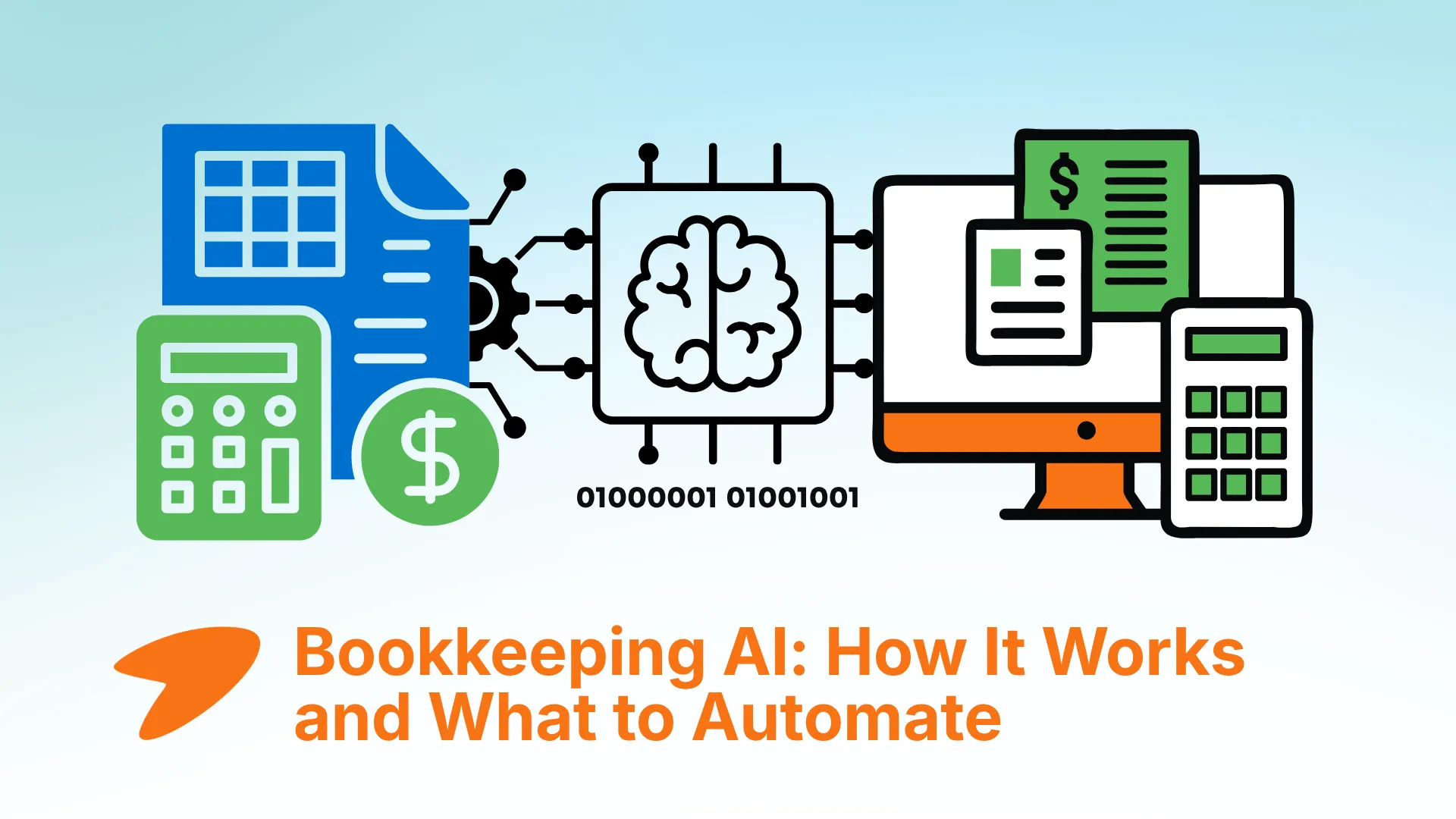
Bookkeeping AI uses artificial intelligence to collect financial documents, extract accounting data, suggest categories, match transactions, and flag records that need attention.
In practice, that means less time spent searching inboxes, opening PDFs, entering invoice details, and checking whether every transaction has supporting documentation.
Tailride applies AI to this operational side of bookkeeping. It collects invoices and receipts from inboxes and supplier portals, extracts the relevant data, applies accounting rules, and sends prepared records to the systems your business already uses.
AI does not remove the need for accounting software or professional judgment. Its value is simpler: it handles repetitive bookkeeping work while keeping people in control of the final records.
What Is Bookkeeping AI?
Bookkeeping AI is software that uses technologies such as optical character recognition, machine learning, and language models to process routine financial information.
Traditional bookkeeping automation follows predefined instructions: if a transaction meets a specific condition, the software performs a specific action. AI-supported systems can also interpret less predictable inputs, such as invoices with different layouts, receipts embedded in emails, or unfamiliar vendor descriptions.
The distinction between bookkeeping AI and accounting AI is mainly one of scope.
Bookkeeping AI focuses on maintaining reliable financial records: collecting source documents, extracting details, categorizing transactions, matching records, and identifying exceptions. Accounting AI can include broader activities such as forecasting, audit analysis, financial modelling, and management reporting.
This article focuses on the bookkeeping layer: the recurring work that needs to happen before financial information is ready for reporting and decision-making.
How Is AI Used in Bookkeeping?
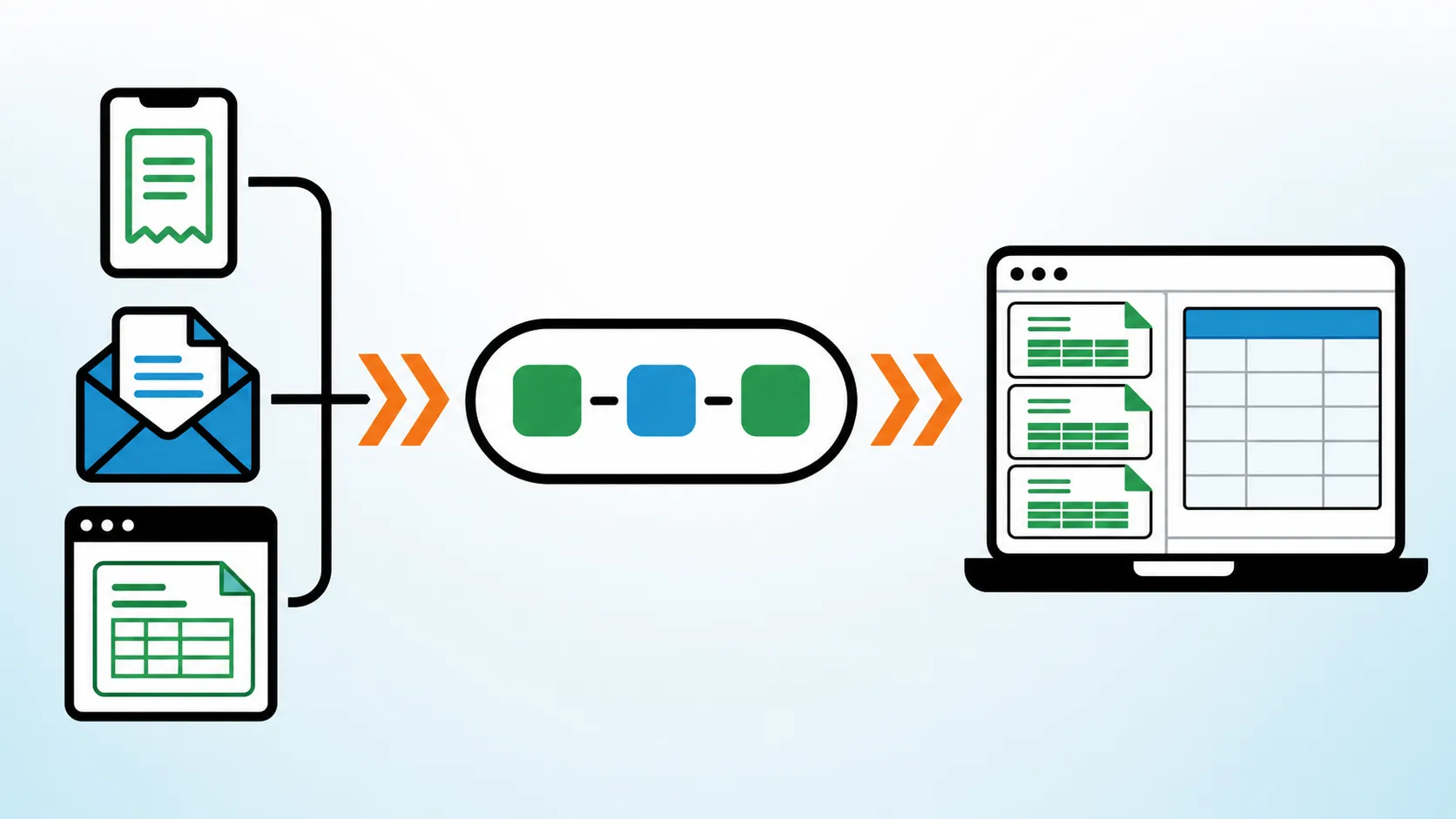
A useful AI bookkeeping workflow does more than read documents. It helps move financial information from its original source to a review-ready accounting record.
Collecting complete source documents
Bookkeeping problems often begin before data entry. An invoice may be buried in a shared inbox, attached to an email sent to an employee, or available only after someone logs into a supplier portal.
AI can monitor these sources and identify documents that should enter the bookkeeping workflow. Tailride’s inbox scanning finds invoices and receipts in connected email accounts, while its online portal extraction retrieves documents that suppliers do not send by email.
This makes document completeness part of the automation process. Instead of processing only the invoices a team has managed to find, the system helps locate the ones that would otherwise be missed.
For a closer look at this stage, see our comparison of automated invoice capture software.
Extracting accounting data
Once a document has been collected, AI can turn it into structured data.
Depending on the document, that may include the supplier, invoice number, issue date, due date, currency, tax amount, total, line items, and payment details. The system must also understand which number represents which field rather than simply reading all visible text.
Tailride’s AI invoice processing extracts these details from PDFs, images, receipts, and other invoice formats. Businesses evaluating this part of the workflow can also compare dedicated invoice data extraction software.
Categorizing transactions
After extraction, bookkeeping AI can suggest how a purchase should be recorded.
A recurring cloud provider might usually belong to software expenses, for example, while a hotel invoice may need a travel category and a specific tax treatment. The system can use previous decisions, supplier information, and company rules to prepare a suggestion.
Tailride’s automatic coding combines extracted invoice information with configurable rules for accounts, taxes, tags, projects, and other fields.
These suggestions should still be reviewable. AI can make categorization more consistent, but the company remains responsible for its accounting policies and final records.
Matching records and finding what is missing
A transaction in a bank statement does not automatically prove that the corresponding document has been collected. Conversely, an invoice in the system may still need to be linked to its payment.
AI-assisted reconciliation compares transactions with invoices and receipts, proposes matches, and highlights records that cannot be matched confidently.
This changes the reviewer’s job. Instead of manually comparing every line, the person can concentrate on missing documents, uncertain matches, duplicates, and unusual transactions.
Explaining financial information
Language-based AI assistants can help explain accounting terminology, summarize procedures, draft internal policies, or turn structured data into a clearer narrative.
This is useful, but it is different from operational bookkeeping automation. A general AI assistant does not automatically become the system of record, collect all source documents, or maintain a controlled audit trail.
That distinction matters when choosing an AI tool.
Types of Bookkeeping AI Tools at a Glance
Different tools apply AI to different parts of bookkeeping. The right choice depends on where work is currently getting stuck.
| Type of tool | Examples | Best suited to | Main limitation |
|---|---|---|---|
| Document collection and processing | Tailride | Collecting invoices and receipts, extracting data, coding records, exporting and reconciliation | Does not replace the general ledger |
| Accounting platforms with AI features | QuickBooks, Xero | Managing books, transactions, reports, and accounting workflows inside the ledger | Documents must still reach the platform correctly |
| General AI assistants | ChatGPT, Claude | Explaining concepts, drafting procedures, summarizing and analysis | Not a controlled bookkeeping system |
| Rules-based workflow tools | Integration and automation platforms | Moving data between predictable systems | Less reliable with unstructured documents and exceptions |
Many businesses will use more than one category. An accounting platform may remain the financial system of record, while a specialized AI layer handles document collection and preparation upstream.
Tailride: Operational AI for Invoice and Receipt Bookkeeping
Tailride is designed for the part of bookkeeping that begins outside the accounting platform.
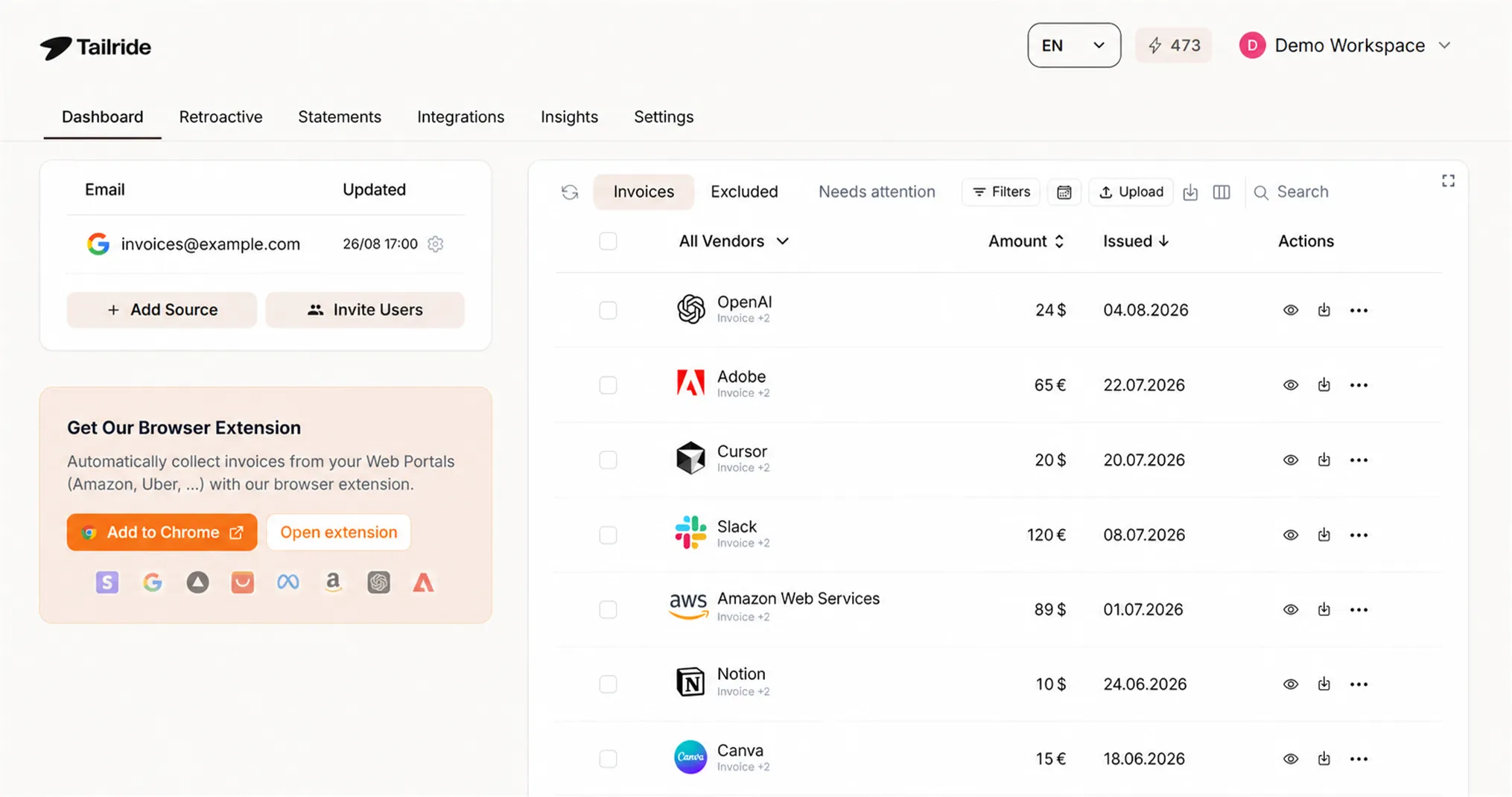
Invoices arrive through Gmail, Outlook, shared inboxes, PDF attachments, email links, paper receipts, and supplier websites. If those sources are handled manually, even a well-configured accounting platform receives incomplete or delayed information.
Tailride brings those documents into one workflow. It can monitor connected inboxes, recover historical invoices, collect documents from online portals, extract invoice fields, apply coding rules, and identify records that require attention.
Prepared documents and data can then be sent through Tailride integrations to tools such as QuickBooks, Xero, Google Drive, Google Sheets, OneDrive, and DATEV.
This makes Tailride most relevant when the bookkeeping bottleneck is not the ledger itself, but the work required to get complete and correctly prepared information into it.
Tailride does not try to replace your accounting system. It automates the document work that has to happen before accurate bookkeeping is possible.
Businesses can start with Tailride without changing their entire accounting setup.
AI Built Into QuickBooks and Xero
Accounting platforms increasingly include automation for transaction categorization, reconciliation, reporting, anomaly detection, and other recurring tasks.
These features are most useful once reliable data and supporting documents are already inside the platform. They can improve work within the ledger, but they do not necessarily solve the upstream problem of finding invoices across multiple inboxes and supplier portals.
For many teams, the two layers are complementary:
-
The accounting platform remains the source of truth for the books.
-
A specialized tool such as Tailride collects and prepares the supporting documents.
-
Accountants review exceptions and retain control over final posting.
The result is a connected bookkeeping workflow rather than a collection of isolated AI features.
General AI Assistants vs. Bookkeeping Automation
General AI assistants are flexible. They can explain why an entry may need to be accrued, help draft a month-end checklist, summarize a financial policy, or suggest questions to raise with an accountant.
For practical examples of this layer, see our guides to ChatGPT for accounting and Claude for accounting. Both focus on analysis, drafting, and review rather than controlled bookkeeping automation.
They should not be confused with dedicated AI bookkeeping software.
A general assistant usually has no automatic knowledge of whether every invoice was collected, whether a record was approved, which accounting policy applies, or what information has already been posted to the ledger. Its answers may also sound confident when important context is missing.
Use general AI for interpretation and communication. Use controlled bookkeeping systems for collecting, recording, approving, and retaining financial data.
Bookkeeping AI vs. Traditional Automation
Both approaches reduce manual work, but they handle uncertainty differently.
| Area | Traditional automation | AI-supported bookkeeping |
|---|---|---|
| Input | Requires predictable fields and formats | Can interpret varied layouts and unstructured documents |
| Categorization | Applies fixed conditions | Combines rules with learned patterns and context |
| Matching | Depends on exact or predefined values | Can propose matches despite differences in descriptions or currencies |
| Exceptions | Often fails or stops the workflow | Can estimate confidence and route uncertain records for review |
| Improvement | Rules must be updated manually | Suggestions can improve from corrections and historical decisions |
| Oversight | Needed when a rule breaks | Needed for uncertain, material, or policy-sensitive decisions |
The strongest workflows combine both approaches. Rules provide control and consistency; AI handles variation and reduces the amount of manual review.
Benefits of AI Bookkeeping
The biggest benefit is not simply faster data entry. It is a more complete and reviewable bookkeeping process.
When documents are collected automatically, teams spend less time chasing colleagues and searching through inboxes. When data is extracted and prepared consistently, they avoid repetitive copying between PDFs, spreadsheets, and accounting systems.
AI can also make the month-end process less reactive. Instead of discovering missing invoices during reconciliation, a team can identify gaps earlier and deal with exceptions as they appear.
For accountants, this creates more time for work that requires judgment: reviewing unusual transactions, correcting tax treatment, improving controls, and helping the business understand its numbers.
Limits of Bookkeeping AI
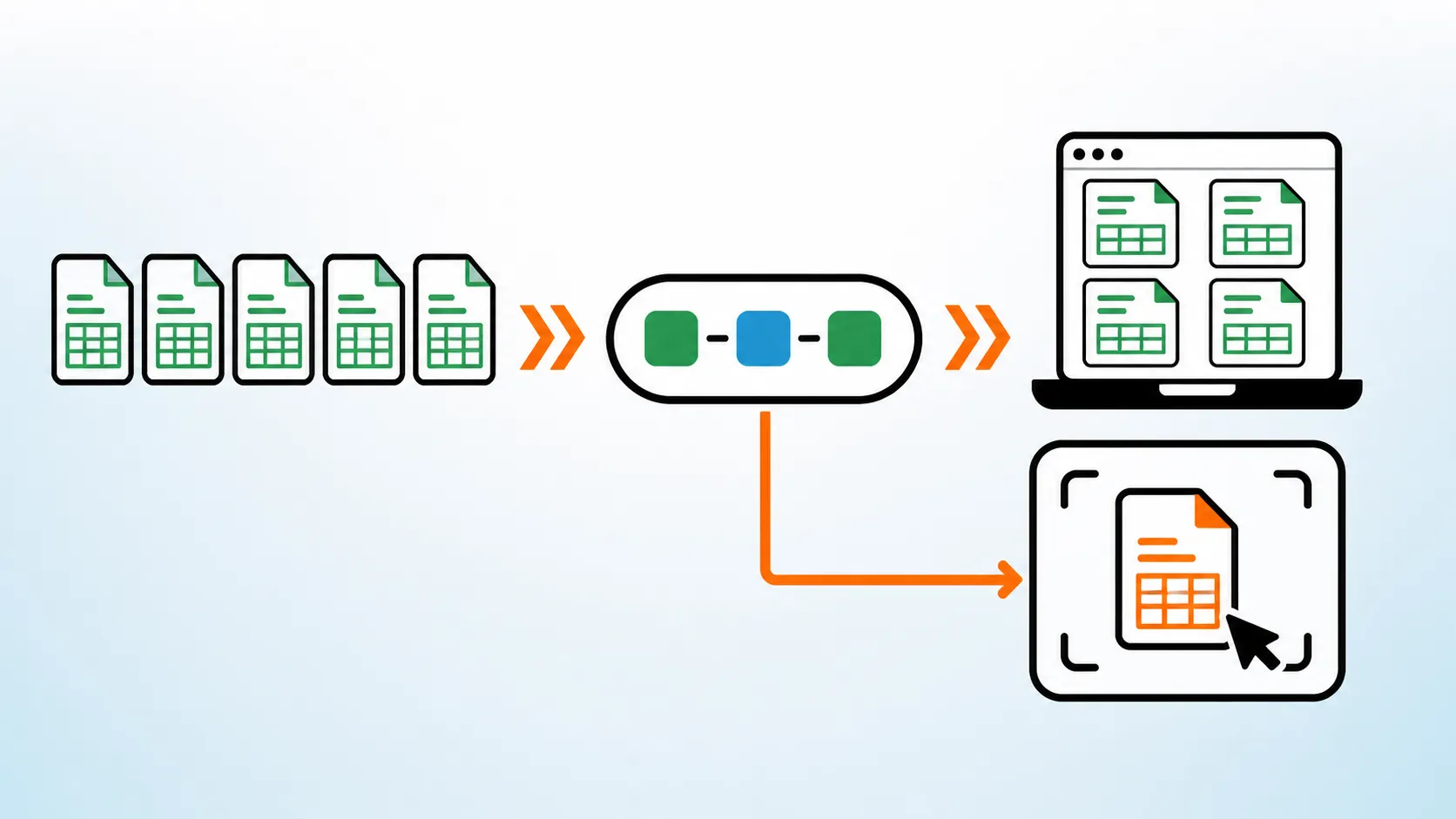
AI can misread a document, suggest the wrong category, or overlook context that would be obvious to an experienced accountant. A supplier name alone may not reveal the purpose of a purchase, and the correct tax treatment can depend on jurisdiction, business use, or supporting evidence.
Generative AI can also produce plausible but incorrect explanations. It should not be treated as an authoritative source for tax or regulatory decisions.
Automation can magnify problems when vendor records, account structures, or company policies are inconsistent. Before expanding an AI workflow, businesses should decide which actions may happen automatically and which require approval.
Good bookkeeping AI reduces routine work. It does not remove accountability.
How to Introduce AI Into Bookkeeping
Start with one operational bottleneck
Look for work that is repetitive, measurable, and easy to review. Collecting supplier invoices, extracting document data, or matching payments are usually better starting points than attempting to automate the entire finance function at once.
Define the review rules
Decide which records can move forward automatically and which should be checked. New suppliers, large amounts, uncertain tax rates, duplicate invoices, and low-confidence matches may need human review.
Run a controlled pilot
Test the workflow with a limited set of inboxes, suppliers, or accounting categories. Compare the results with the existing process and record where corrections are needed.
The goal is not to prove that AI never makes mistakes. It is to determine whether the system produces a reliable queue of prepared records and useful exceptions.
Expand after the workflow is stable
Once responsibilities, rules, and review thresholds are clear, connect more document sources and destinations. Track practical outcomes such as missing-document rates, time spent on data entry, correction frequency, and the length of the month-end close.
Using Financial Data Safely
Financial documents may contain personal data, bank information, tax identifiers, addresses, and commercially sensitive details. Any AI bookkeeping tool should therefore be evaluated as part of the company’s data environment.
Review how the provider authenticates users, stores documents, controls access, records actions, handles deletion, and works with subprocessors. Employees should use approved business tools rather than uploading invoices or ledgers to personal AI accounts.
Access should follow the principle of least privilege, and material accounting decisions should remain traceable to the person or rule that approved them.
What AI Changes for Bookkeepers
AI is more likely to change bookkeeping work than eliminate it.
Repetitive activities such as document collection, data extraction, routine coding, and initial matching can increasingly be automated. Work involving judgment, communication, controls, policy decisions, and unusual cases remains human-led.
The role therefore shifts from entering every record manually to supervising workflows, resolving exceptions, and improving the quality of financial information.
We explore the wider employment question in Will AI Replace Accountants in the Next Few Years?.
Frequently Asked Questions
What is bookkeeping AI?
Bookkeeping AI is software that uses artificial intelligence to collect financial documents, extract information, categorize transactions, match records, and identify exceptions. It supports recurring bookkeeping work but does not replace accounting policies, professional review, or the general ledger.
What bookkeeping tasks can AI automate?
AI can help collect invoices and receipts, extract document data, suggest accounts and tax codes, detect duplicates, match invoices with transactions, identify missing documents, and prepare records for export to accounting software.
Can AI do bookkeeping automatically?
AI can automate a large share of repetitive bookkeeping, especially when transactions follow clear policies and the system has reliable source data. Unusual, material, or uncertain records should still be reviewed by a person.
Does AI bookkeeping replace accounting software?
No. Accounting software remains the system where financial records, ledgers, and reports are maintained. AI bookkeeping tools can prepare and organize the information that enters that system or enhance workflows already available inside it.
What is the difference between bookkeeping automation and bookkeeping AI?
Traditional automation applies fixed rules to predictable inputs. Bookkeeping AI can also interpret variable document layouts, learn from previous decisions, and propose matches or categories when the information is less structured. Most reliable workflows use both rules and AI.
How should a business choose an AI bookkeeping tool?
Start with the workflow that consumes the most time or creates the most errors. Then evaluate whether the tool handles the relevant document sources, accounting fields, approval controls, integrations, security requirements, and exception workflows.
Make Bookkeeping AI Useful, Not Complicated
The best bookkeeping AI setup is not necessarily the one with the most features. It is the one that removes a real operational bottleneck while keeping financial records controlled and reviewable.
For many teams, that bottleneck begins with invoices and receipts scattered across inboxes, supplier portals, and employee accounts.
Start using Tailride to collect those documents, extract their data, prepare accounting fields, and move them into a more reliable bookkeeping workflow.