
ChatGPT for Accounting: Practical Use Cases and Prompts for 2026
Learn how to use ChatGPT for accounting tasks, with practical prompts, clear limitations, and a look at how Tailride automates document workflows first.

Last updated: September 2026 · ~9 min read · Published by Tailride
ChatGPT can help accounting teams analyze spreadsheets, explain variances, draft financial commentary, improve formulas, and turn raw information into clearer reports. But it should be treated as an analysis and communication layer - not as the accounting system where transactions are recorded, approved, and reconciled.
The quality of the result also depends heavily on the quality of the source data. If invoices are missing, transactions are incomplete, or exports use inconsistent categories, even a well-written prompt can produce a misleading answer.
That is where the combination becomes useful: Tailride collects and structures financial documents, the accounting platform remains the system of record, and ChatGPT helps people understand and communicate what the numbers mean.
Can ChatGPT Be Used for Accounting?
Yes. ChatGPT can support many accounting tasks when it is given the right source material, clear instructions, and appropriate human oversight.
Useful applications include:
-
analyzing budget-versus-actual data;
-
explaining expense movements;
-
reviewing spreadsheet structure and formulas;
-
drafting management commentary;
-
preparing questions for a month-end review;
-
turning accounting procedures into clear checklists;
-
writing client or supplier communications.
OpenAI’s own finance workflow library includes examples such as budget-versus-actual reviews, cash-flow forecasting, variance analysis, financial-model reviews, and leadership reporting.
That does not make ChatGPT an accountant or an accounting platform. It can work with the information you provide and help you interpret it, but it does not independently verify that your books are complete or that a proposed accounting treatment is correct.
A useful rule is:
Use ChatGPT to investigate, explain, draft, and organize. Keep recording, approvals, controls, and final decisions inside your established accounting workflow.
What Is ChatGPT Good At in Accounting?
Analyzing spreadsheets and accounting exports
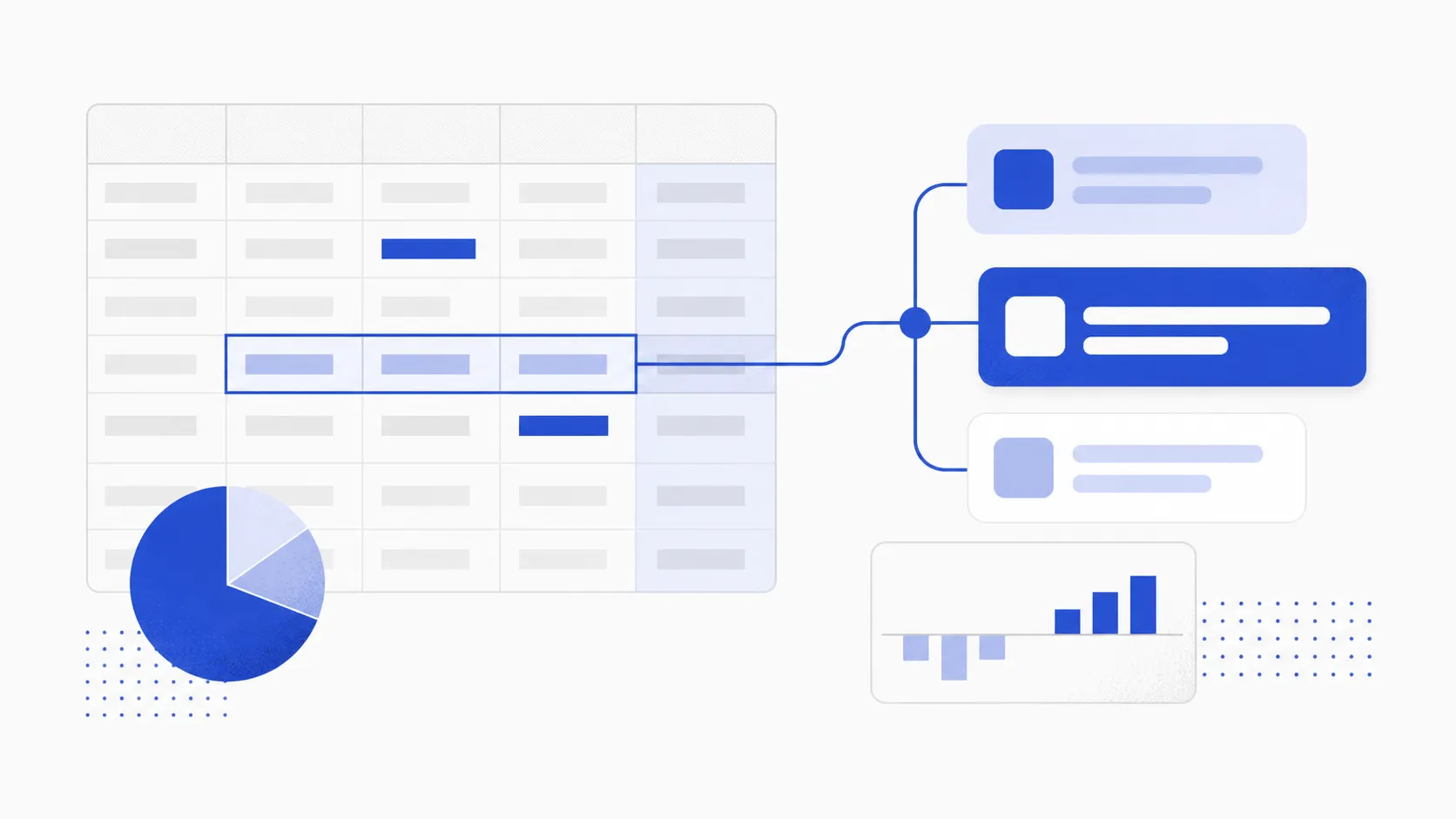
You can provide ChatGPT with a spreadsheet, transaction export, budget file, or management report and ask questions about the data.
For example, it can help identify which expense categories changed most between periods, compare actual spending with a budget, group similar observations, or turn a large table into a concise management summary.
Context matters. Before asking for conclusions, explain:
-
what each column represents;
-
which currency and accounting period are used;
-
whether numbers are cash- or accrual-based;
-
which entities or departments are included;
-
whether credits and negative values use any special conventions.
Without that context, ChatGPT may interpret a perfectly valid accounting convention as an error.
Explaining variances and trends
A conventional report can show that software expenses increased by 24%. ChatGPT can help turn that observation into a structured investigation.
It might separate the increase into new subscriptions, price changes, annual renewals, exchange-rate effects, or headcount growth - provided those details exist in the source data.
This makes it useful for preparing an initial variance review. The accountant still needs to confirm the underlying transactions and decide whether the explanation is complete.
Helping with formulas and data cleanup
ChatGPT can help write or troubleshoot spreadsheet formulas, explain why a lookup fails, propose a consistent category mapping, or suggest steps for cleaning an export.
This is especially helpful when an accounting team repeatedly performs the same manual transformation before uploading data or preparing a report.
The safest approach is to test the proposed formula on a small sample, including edge cases such as blank cells, credit notes, duplicate references, and transactions in multiple currencies.
Drafting financial commentary
Accountants often understand a result long before they have turned it into a clear paragraph for someone else.
ChatGPT can help draft:
-
monthly management commentary;
-
explanations of budget deviations;
-
summaries for department managers;
-
requests for missing documentation;
-
instructions for clients or employees;
-
internal accounting procedures.
The draft should be based on confirmed facts and reviewed before it is sent. ChatGPT is particularly useful for improving structure and clarity, but it should not be allowed to fill factual gaps with plausible-sounding explanations.
Building repeatable procedures
ChatGPT can turn an existing process description into a checklist, identify ambiguous steps, or adapt a technical procedure for a non-accounting audience.
For example, a finance team could provide its current month-end instructions and ask ChatGPT to separate them into preparation, review, escalation, and approval stages.
This does not automate the close itself. It makes the human process easier to follow and improve.
Where ChatGPT Should Not Be the Accounting System
ChatGPT should not replace the ledger, approval workflow, document archive, or audit trail.
It should not be given uncontrolled authority to:
-
post or approve journal entries;
-
determine tax treatment without professional review;
-
authorize payments;
-
change supplier bank details;
-
complete reconciliations without supporting evidence;
-
make final compliance decisions.
ChatGPT can draft a journal entry from a clearly described transaction, but the proposed accounts, tax codes, amounts, period, and supporting documents still need to be checked.
The distinction is important: producing a reasonable-looking answer is not the same as maintaining accurate books.
For a broader look at how different AI tools fit into finance operations, see our guide to bookkeeping AI.
Practical ChatGPT Accounting Prompts
A good accounting prompt should define the source data, the task, the limits, and the expected output.
Tell ChatGPT not to invent missing values. Ask it to state its assumptions and separate observations from conclusions. For higher-risk work, ask it to identify what an accountant needs to verify.
Budget-versus-actual analysis
Act as a financial analyst supporting a month-end review.

Use only the attached budget-versus-actual file. Do not invent explanations that are not supported by the data.

For each material variance:
1. Identify the account or category.
2. Show the budget, actual amount, absolute variance, and percentage variance.
3. Describe the visible drivers in the data.
4. List questions that should be investigated before the variance is explained to management.

Treat variances above [amount] or [percentage] as material.

Return:
- a short executive summary;
- a table of material variances;
- a list of items requiring accountant review.

State any assumptions or data-quality issues separately.
This prompt is useful for creating the first version of a variance review. It should not be used to assign causes that are absent from the source data.
Expense trend and anomaly review
Review the attached expense transaction export for the period [date range].

Look for:
- significant changes by category or supplier;
- duplicate-looking transactions;
- unusual transaction dates or amounts;
- new recurring suppliers;
- categories with inconsistent descriptions;
- transactions that may require supporting documents.

Do not describe an item as fraudulent or incorrect. Flag it for investigation and explain the reason.

Return a prioritized review table with:
transaction reference, date, supplier, amount, reason for review, and recommended next check.
This can help focus an accountant’s attention, but every flagged item must be checked against invoices, contracts, bank records, and the accounting system.
Month-end close review
Using the attached close checklist and current status report, prepare a month-end review.

Group the work into:
- completed;
- in progress;
- blocked;
- awaiting review.

Identify dependencies, missing evidence, and tasks that could delay the close.

Do not mark a task as complete unless the supplied status explicitly confirms it.

Finish with:
1. the five most important actions;
2. questions for the accounting team;
3. items requiring controller approval.
This works best when the team already maintains a reliable close checklist. ChatGPT organizes the status; it does not independently confirm that reconciliations or postings were completed correctly.
Spreadsheet formula assistance
Help me create a spreadsheet formula for the following accounting task:

[Describe the required result.]

The relevant columns are:
[Describe each column and provide example values.]

The formula must handle:
- blank cells;
- credit notes;
- duplicate invoice numbers;
- errors or unmatched values.

Provide:
1. the formula;
2. a plain-language explanation;
3. three test cases;
4. any limitations or assumptions.

Do not change the source data.
Providing example rows makes the response considerably more reliable than asking for a formula without showing how the spreadsheet is structured.
Management commentary
Draft management commentary using only the attached approved figures and notes.

Audience: [leadership team / department manager / board]
Period: [period]
Length: [target length]
Tone: clear, factual, and concise

Separate:
- confirmed results;
- explanations supported by the notes;
- open questions;
- forward-looking risks.

Do not create explanations for movements that are not covered by the supplied information. Mark any unsupported statement as requiring confirmation.
The resulting draft should be compared with the underlying report before publication.
A Better Workflow: Source Data First, ChatGPT Second
ChatGPT is most useful near the end of a controlled information flow - not at the beginning of a pile of missing invoices and inconsistent spreadsheets.
| Stage | Primary job | Appropriate system |
|---|---|---|
| Document collection | Obtain complete invoices, receipts, and supporting files | Tailride |
| Data preparation | Extract fields, apply coding rules, and connect documents with transactions | Tailride and the accounting platform |
| Accounting record | Post, approve, close, and maintain the ledger | Accounting platform |
| Analysis and communication | Explore data, explain movements, and draft commentary | ChatGPT |
| Final review | Confirm facts, judgments, and compliance | Accountant or controller |
If the first two stages are unreliable, ChatGPT receives an incomplete version of the business. The resulting analysis may be polished but still wrong.
Where Tailride Fits
Tailride solves a different part of the accounting workflow.
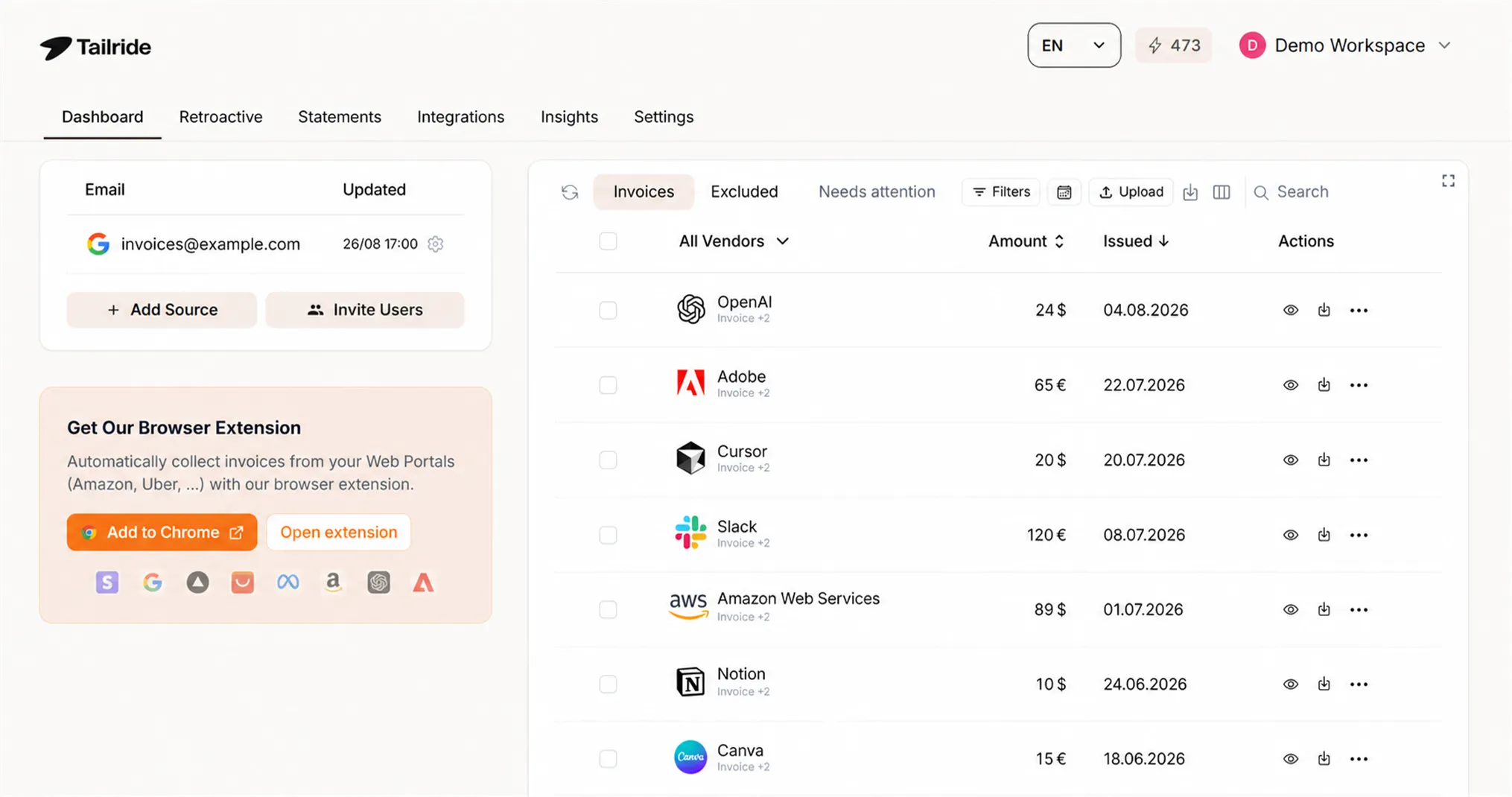
It can collect invoices from finance inboxes and retrieve documents from supplier portals, reducing the manual work required before accounting can begin.
Tailride then uses AI document processing to extract invoice information, supports automatic coding, and connects the results with supported accounting platforms through integrations. Its reconciliation workflow helps teams identify transactions that still need supporting documents.
ChatGPT can then help analyze an approved export or draft an explanation based on structured data. The roles are complementary:
Tailride prepares and moves the accounting documents. ChatGPT helps people reason about and communicate the resulting information.
That separation also keeps the audit trail, source documents, and operational controls inside systems designed to manage them.
How to Use ChatGPT Safely for Accounting
Before uploading accounting information, follow your organization’s policies for confidential, personal, banking, payroll, and tax data. Remove information that is not necessary for the task and use only approved tools and workspaces.
ChatGPT should receive enough context to understand the task, but not every piece of sensitive data your organization holds.
OpenAI’s guidance for using ChatGPT recommends providing relevant context and source files, treating the first response as a draft, and verifying important numbers, dates, and claims. It also states that financial and other high-stakes decisions require expert review.
For accounting work, that means every important output should be traceable back to the original spreadsheet, invoice, ledger entry, or approved policy.
Pay particular attention to:
-
totals and signs;
-
dates and accounting periods;
-
currencies and exchange rates;
-
tax codes;
-
duplicated or omitted rows;
-
assumptions introduced by the model;
-
claims that are not present in the supplied evidence.
If an answer cannot be traced to the underlying information, it should be treated as a question - not a conclusion.
ChatGPT vs. Accounting Software vs. Tailride
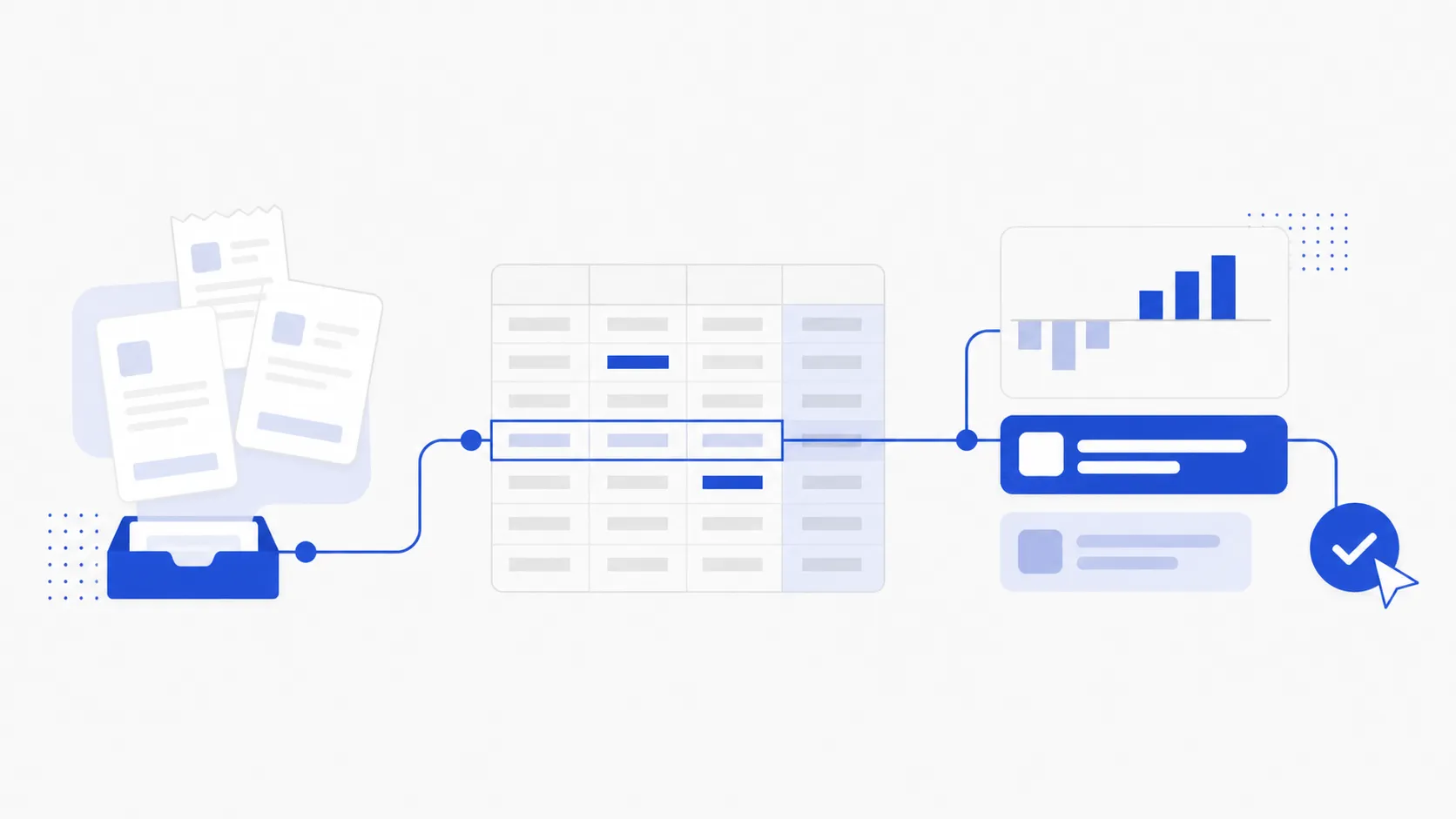
These tools solve different problems.
| Tool | Best used for | Should not be treated as |
|---|---|---|
| ChatGPT | Analysis, explanations, drafts, formulas, and structured questions | The ledger, approval system, or final accounting authority |
| Accounting software | Recording transactions, maintaining balances, reporting, and financial controls | A complete document-collection solution |
| Tailride | Collecting, extracting, coding, exporting, and reconciling financial documents | The final decision-maker for accounting judgments |
Trying to make one tool perform all three roles usually creates more risk, not less.
The stronger approach is to connect a reliable document workflow, an authoritative accounting system, and a flexible analysis tool - while keeping an accountant responsible for the final result.
Frequently Asked Questions
Can ChatGPT do accounting?
ChatGPT can assist with accounting tasks such as data analysis, spreadsheet formulas, variance explanations, procedures, and report drafting. It should not independently maintain the ledger, approve transactions, or make final tax and compliance decisions.
Can ChatGPT prepare journal entries?
It can draft a proposed journal entry when given the relevant transaction, accounting policy, period, and chart of accounts. An accountant must verify the accounts, amounts, tax treatment, supporting evidence, and posting date before the entry is approved.
Can ChatGPT analyze accounting spreadsheets?
Yes. ChatGPT can work with spreadsheets and data exports to identify trends, summarize results, and help investigate variances. The result depends on the completeness of the file and the context supplied with it.
What are the best ChatGPT prompts for accountants?
The best prompts define the source material, accounting period, required output, materiality threshold, and review rules. They also instruct ChatGPT to avoid inventing missing information, state assumptions, and flag anything requiring professional judgment.
Is it safe to upload accounting data to ChatGPT?
That depends on the data, your organization’s policies, and the approved ChatGPT environment being used. Minimize or redact sensitive information, follow internal security requirements, and never upload confidential financial data simply because it might be useful.
Does ChatGPT replace accounting software?
No. ChatGPT does not replace the ledger, audit trail, approval controls, reconciliations, or reporting structure maintained in accounting software. It is better used as an assistant working with controlled exports and verified source material.
Use ChatGPT for Insight, Not as the Source of Truth
ChatGPT for accounting is most valuable when it helps a finance professional move from reliable data to a clearer explanation, better question, or faster first draft.
It cannot compensate for missing documents or an uncontrolled accounting process. Start by making sure invoices and receipts are collected, structured, and connected with the correct transactions. Then use ChatGPT to explore and communicate the information - with an accountant reviewing the result.
Tailride automates that essential first part of the workflow. Explore Tailride or view pricing to see how automated document collection and processing can fit into your accounting operation.